Skip to content

Flight planner

Free flight planner for X-Plane 12

Build a route on real airways, add the SID, STAR and approach, check the climb and descent against terrain, and save the plan straight into X-Plane. Or import your SimBrief flight and export it for the aircraft you fly.

New in 2.3 and improving with every release.

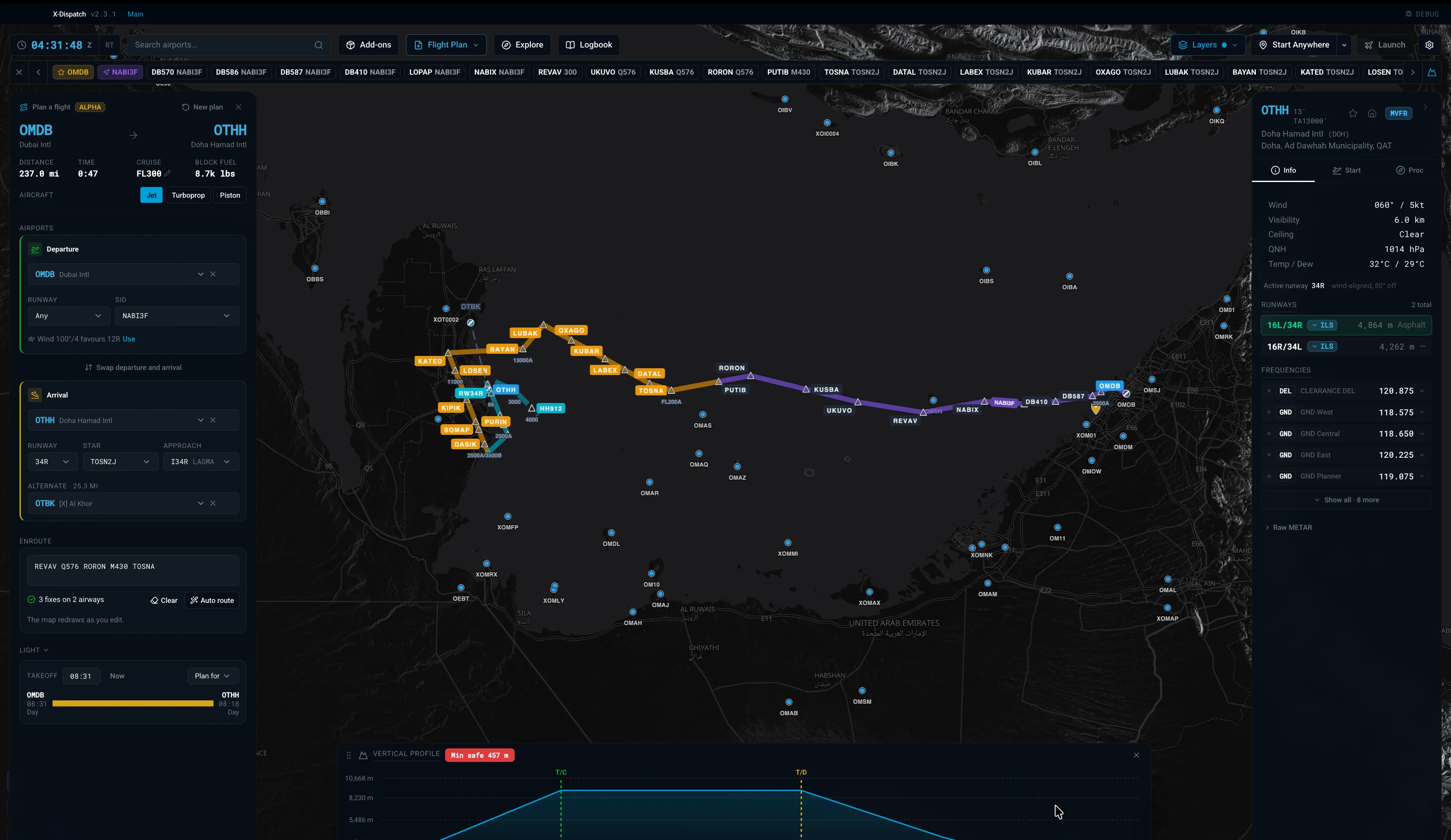
X-Dispatch flight planner showing a route from Dubai to Doha with SID, STAR, approach and vertical profile.

Routes on real airways

Type a route the way it is filed, or let X-Dispatch find one. The map redraws as you edit.

  • Type fixes and airways, for example REVAV Q576 RORON M430 TOSNA, and each one is checked against the navigation data.
  • Auto route searches the airway network, respects one-way airways and cruise-level limits, and avoids active restricted airspace.
  • Uses the nav data in your X-Plane install, including Navigraph or another provider in Custom Data.
  • Save the plan to X-Plane as an .fms file in Output/FMS plans, ready for the aircraft FMS.
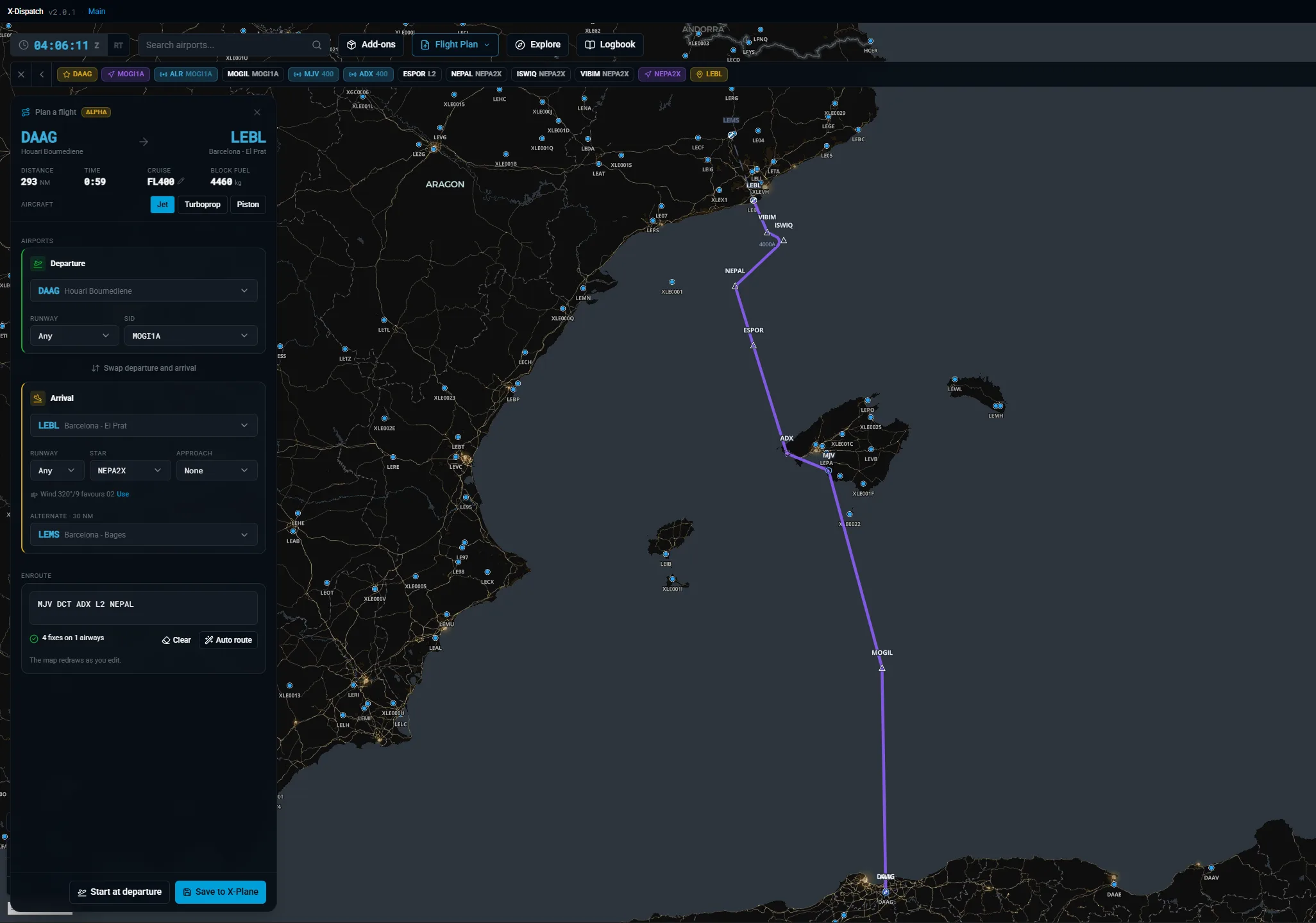
Flight plan panel with departure, arrival, enroute airways, Auto route and Save to X-Plane.

SIDs, STARs, approaches and alternates

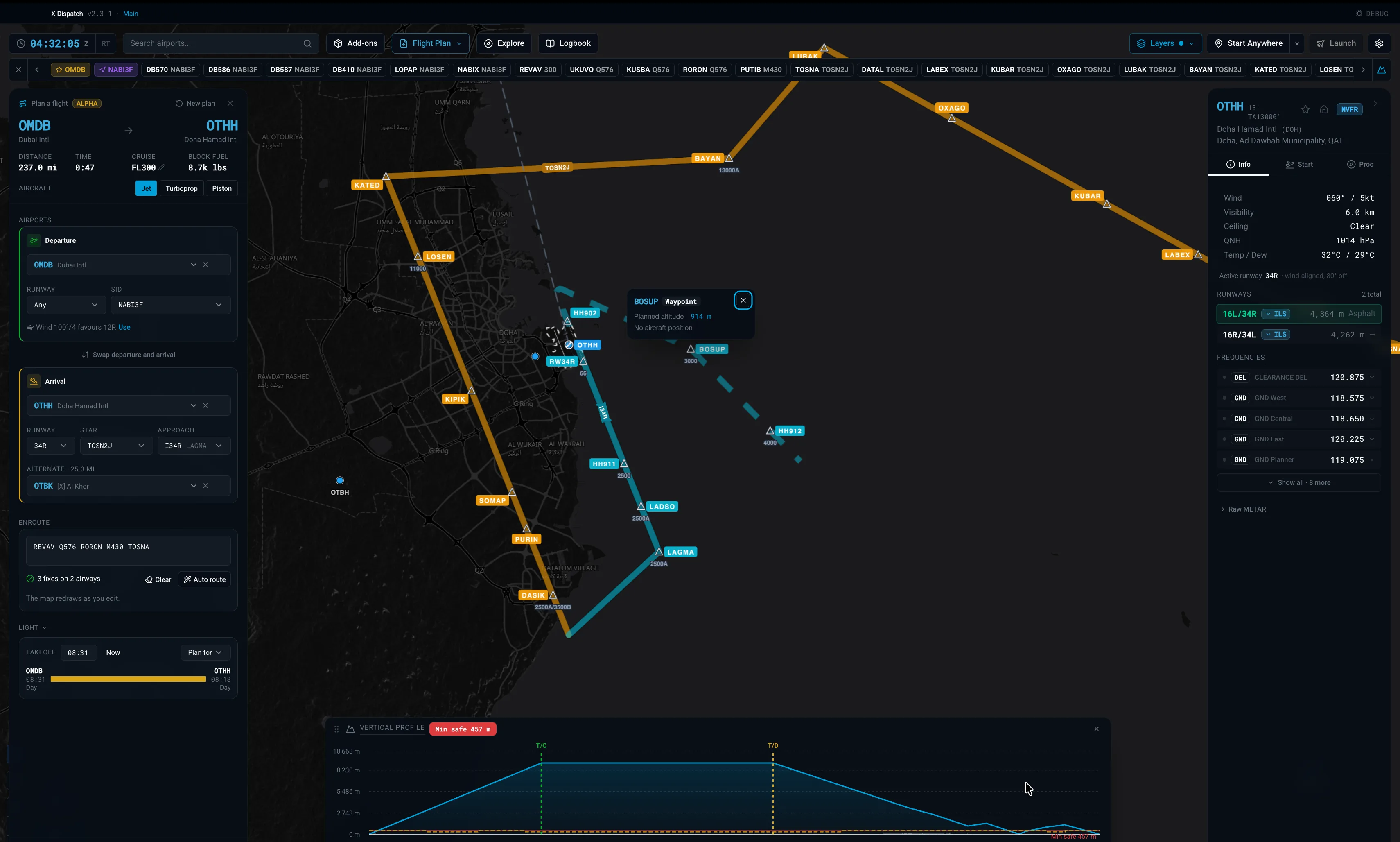
Pick the departure and arrival procedures from the airport data and see them drawn on the map with their altitude constraints.

  • Choose runway, SID, STAR and approach for each end of the flight.
  • A runway suggestion based on the current METAR wind, one click to use it.
  • An alternate airport suggested automatically near the destination.
STAR and ILS approach into Doha drawn on the map, with a waypoint showing its planned altitude.

North Atlantic Tracks

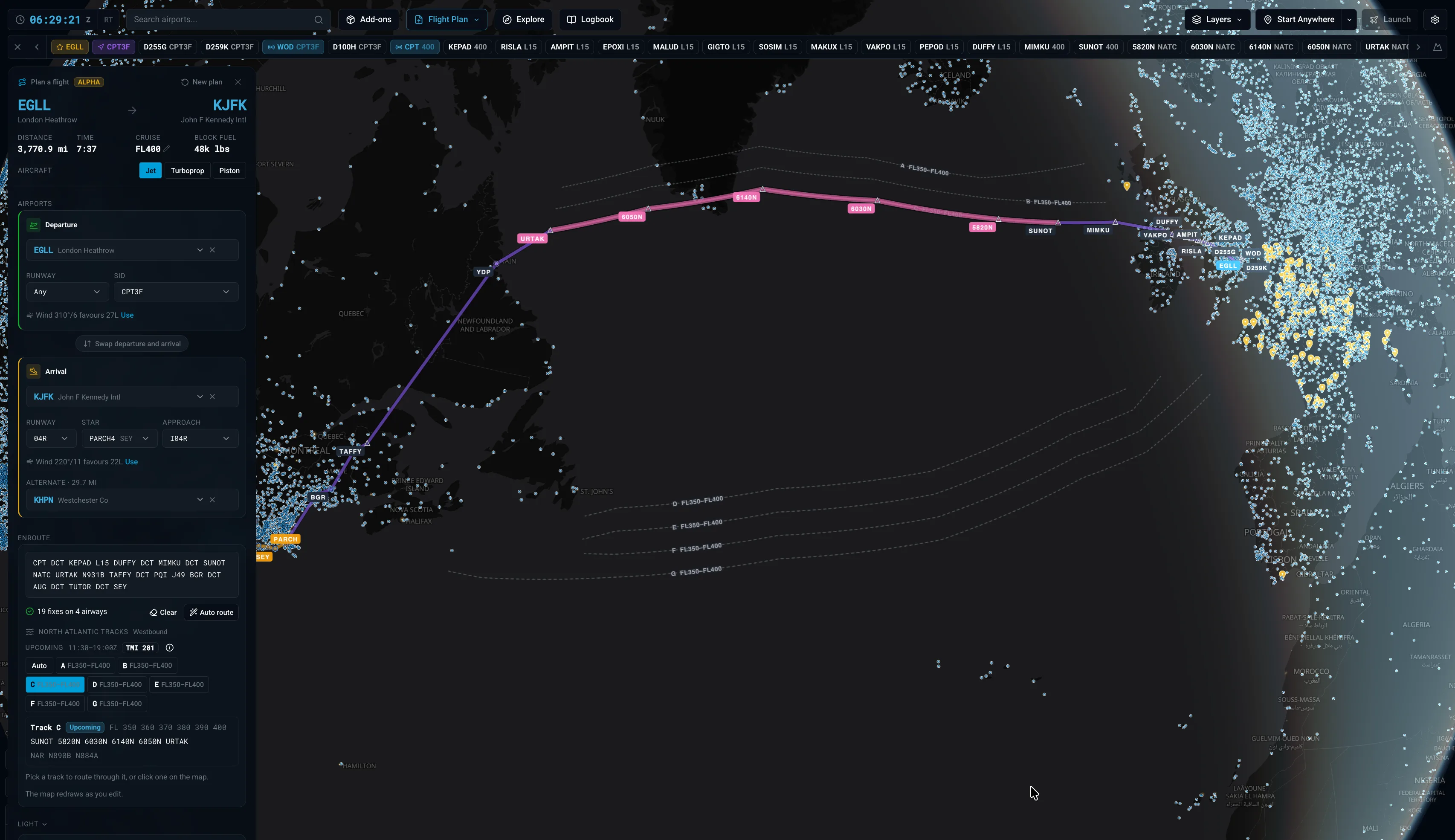
Crossing the Atlantic? The current and upcoming tracks are in the planner and on the map, read from the live track message.

  • Pick a track from the list or click it on the map, and the route flies it whole, from entry to exit.
  • See each track's flight levels, validity, TMI and the NARs that link it to North American airways.
  • Switch between the current and the upcoming track set when you plan ahead.
  • A warning if your cruise level is not offered on the track, and track legs highlighted on the map and written to the .fms file.
Planner routing London Heathrow to New York JFK via North Atlantic Track C, with the track picker and track overlay on the map.

Vertical profile and fuel estimate

See the whole flight from the side before you go.

  • Top of climb and top of descent, shaped by published altitude restrictions.
  • A minimum safe altitude worked out from the terrain along the route.
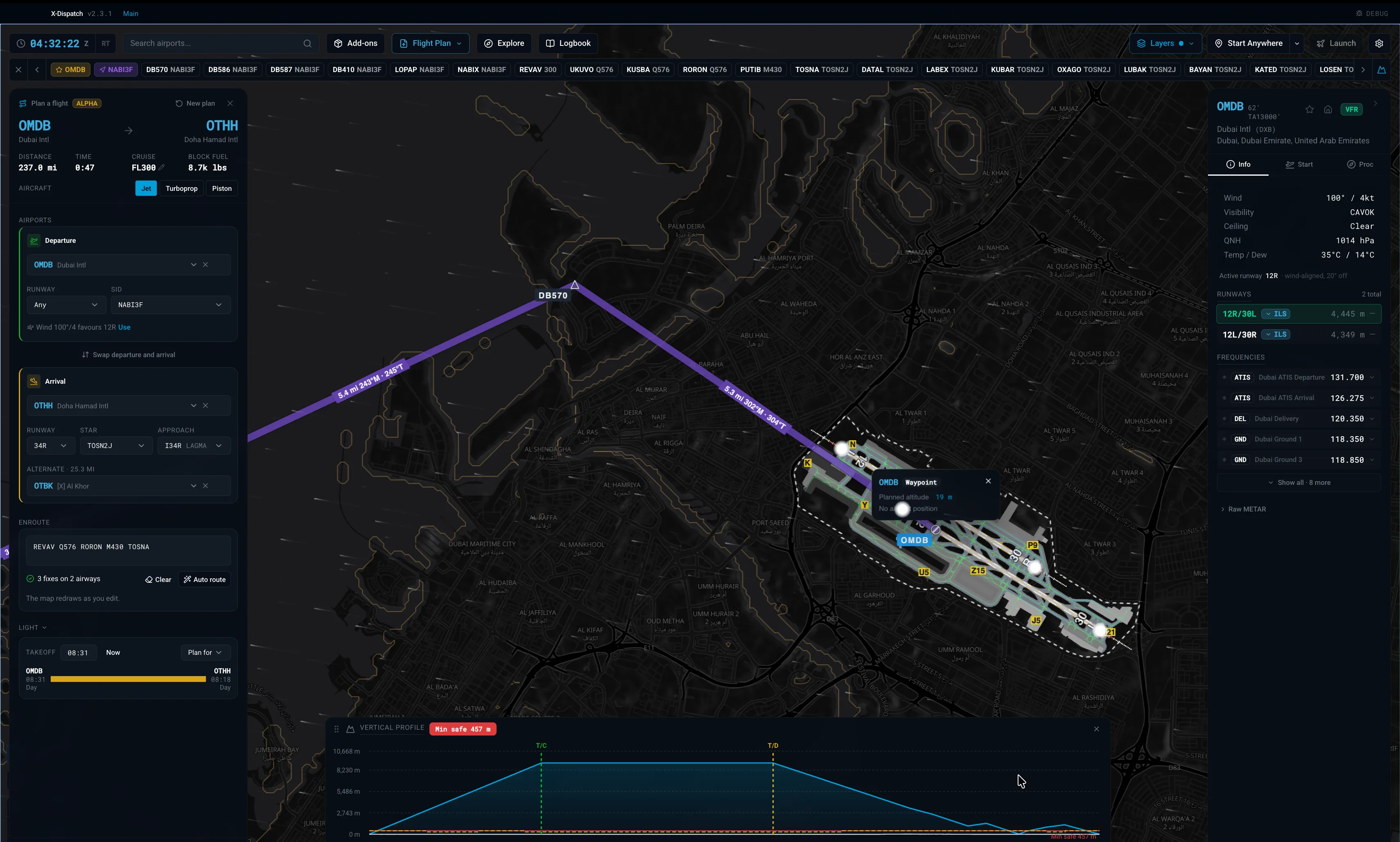
  • Distance, time, cruise level and block fuel, estimated for a jet, turboprop or piston.
  • Plan a takeoff or landing at sunrise, sunset, day or night.
Departure from Dubai over the airport diagram, with leg distances, headings and the vertical profile.

SimBrief import and FMS export

Already planned on SimBrief? Bring the flight in with your Pilot ID.

  • Fetch your latest OFP and draw the route on the map.
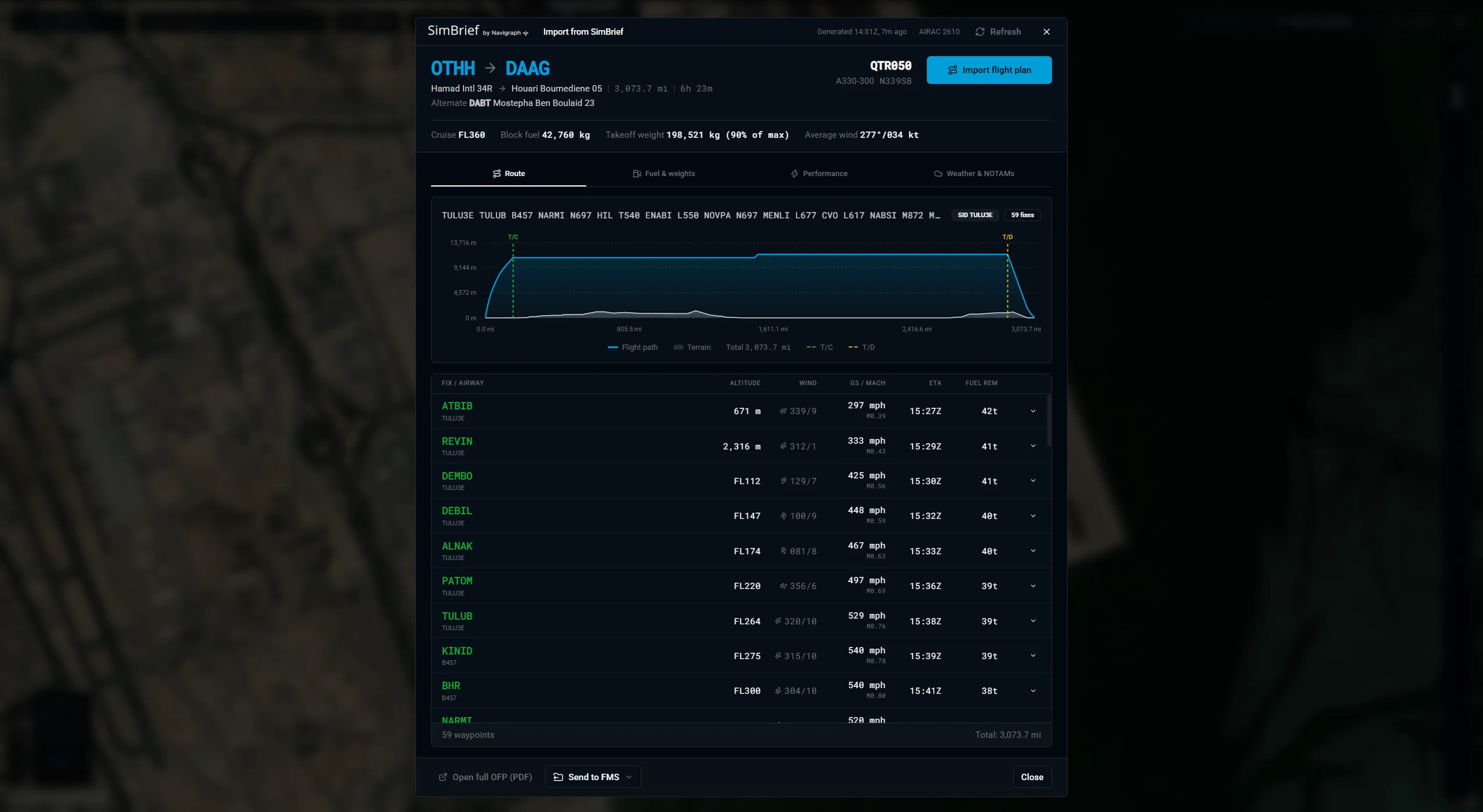
  • Read the briefing in tabs: flight, performance, navlog, fuel, weights and weather.
  • Export the plan for X-Plane 11 and 12 FMS, ToLiss, Zibo 737, FlightFactor, IXEG, JARDesign, PMDG, iniBuilds, Garmin GTN and more.
  • Open existing plans with Load .fms File.
SimBrief briefing in X-Dispatch with route, performance, fuel and weights.

From plan to cockpit

When the plan is ready, set up the rest of the flight in the same app.

  • Pick a gate, runway or custom start position on the airport diagram.
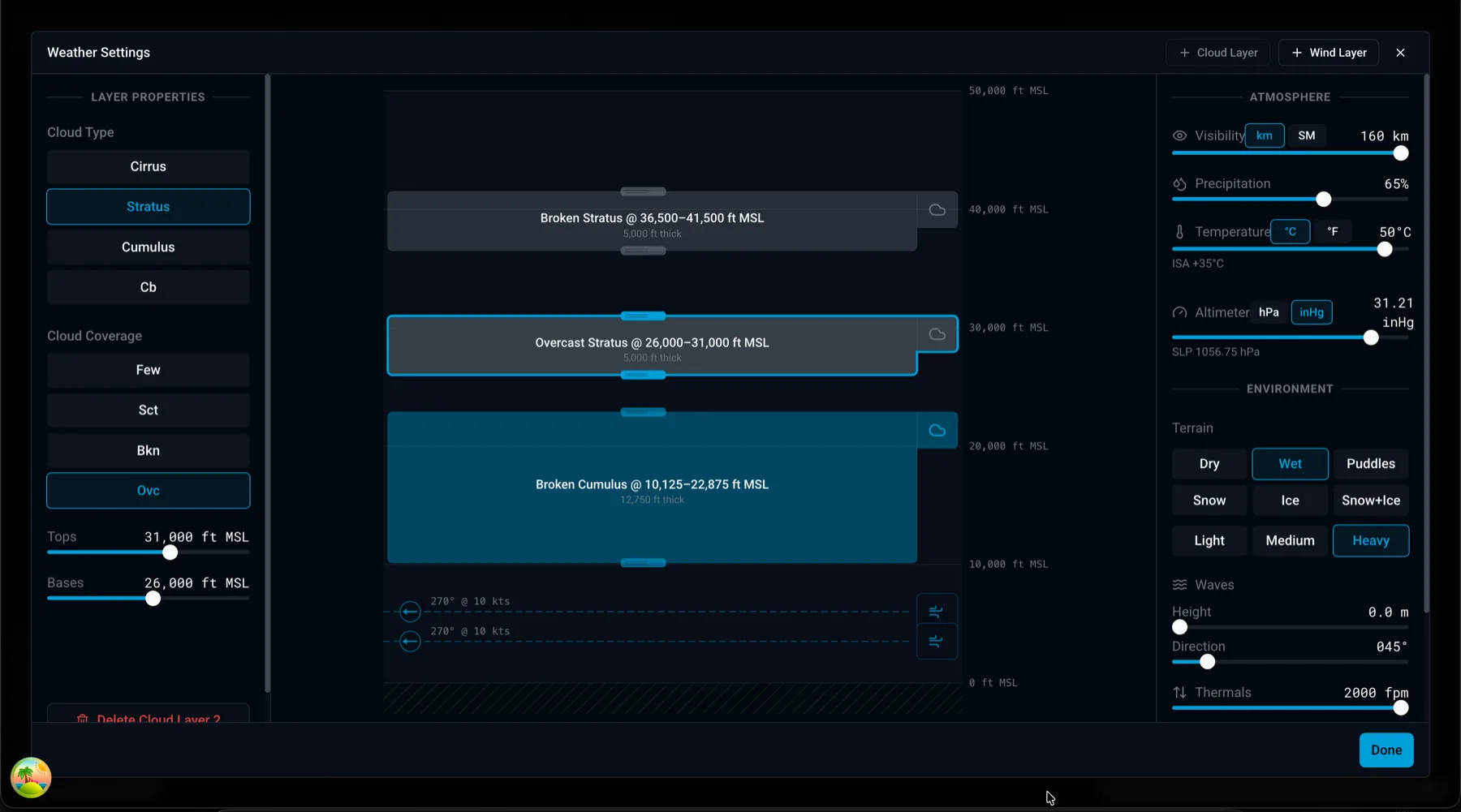
  • Set aircraft, livery, fuel, payload, weather and time.
  • Launch X-Plane straight into the flight.
Weather setup for the flight before launching X-Plane.

Every flight logged

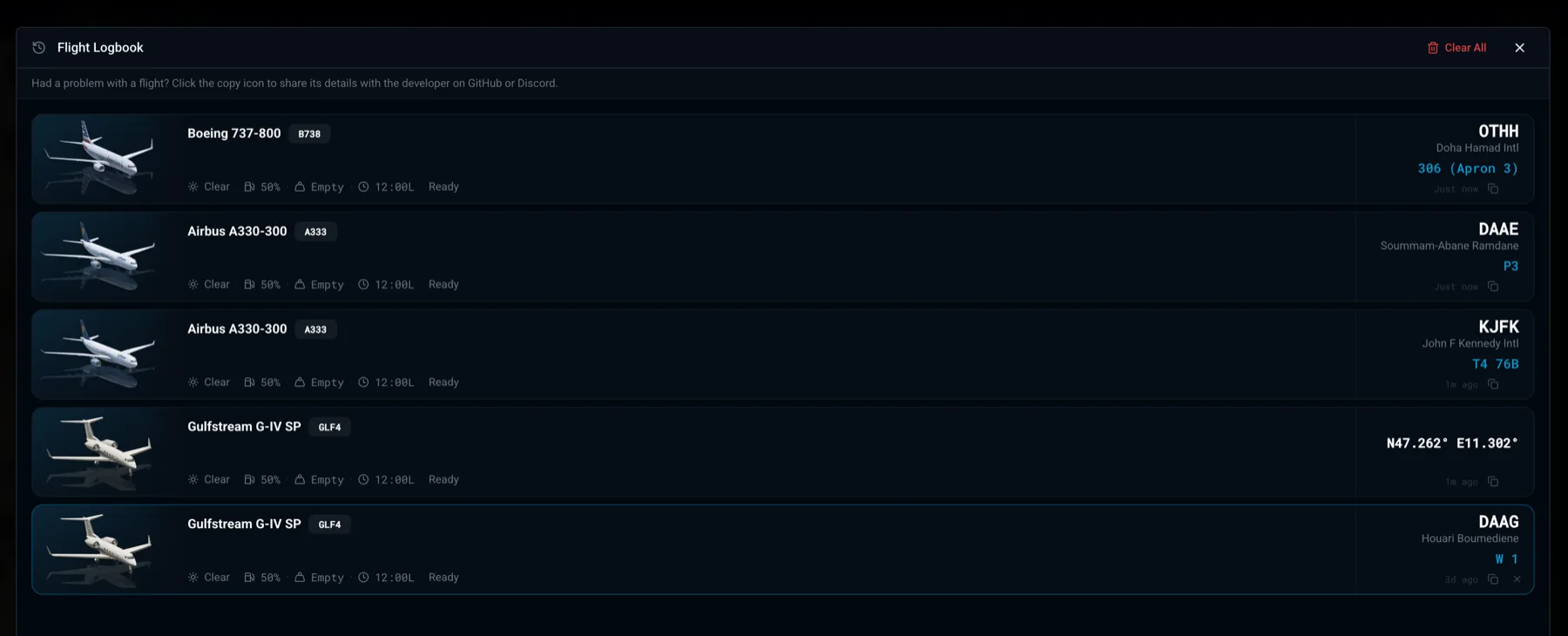
Flights are recorded automatically while X-Plane is connected, so you can look back at every trip.

  • Block time, air time, distance, fuel burned and every landing with its touchdown rate.
  • Replay the track on the map and copy a landing card to share.
X-Dispatch logbook listing recorded flights with landing details.

Questions

Is the X-Dispatch flight planner free?

Yes. X-Dispatch is free to download and use, with no account and no subscription.

Does it work with SimBrief?

Yes. Enter your SimBrief Pilot ID to import your latest flight plan, read the full briefing, and export FMS files for your aircraft.

Which systems does it run on?

Windows 64-bit, macOS on Apple Silicon and Intel, and Linux on x64 and ARM64.

Which X-Plane version do I need?

X-Plane 12.4 or newer. The free X-Plane demo works too.

Does X-Plane need to be running while I plan?

No. X-Dispatch reads the navigation and airport data from your X-Plane folder, so you can plan with the simulator closed.

Plan your next flight

Download X-Dispatch for free and open the Flight Plan panel.

Read the SimBrief and flight setup guide