Skip to content
v2.9.0See what's new

Plan, brief, and launch. All from one map.

The free flight companion for X-Plane 12. Route on real airways with SIDs and STARs, set weather and fuel at the gate, import SimBrief, launch the sim, and log every landing — on a live 3D globe of every X-Plane airport.

DonateJoin the Discord

Works on Windows, macOS & Linux · Requires X-Plane 12.4 or later

Plan routes with SIDs, STARs and SimBrief

One minute

See it in motion

Watch on YouTube ↗

Everything you do before the sim, in one window.

Browse airports, set up the flight, manage your add-ons, follow live traffic. Real screens from the app, working against real X-Plane data.

X-Dispatch: Plan the flight on real airways
Flight Planner

Plan the flight on real airways

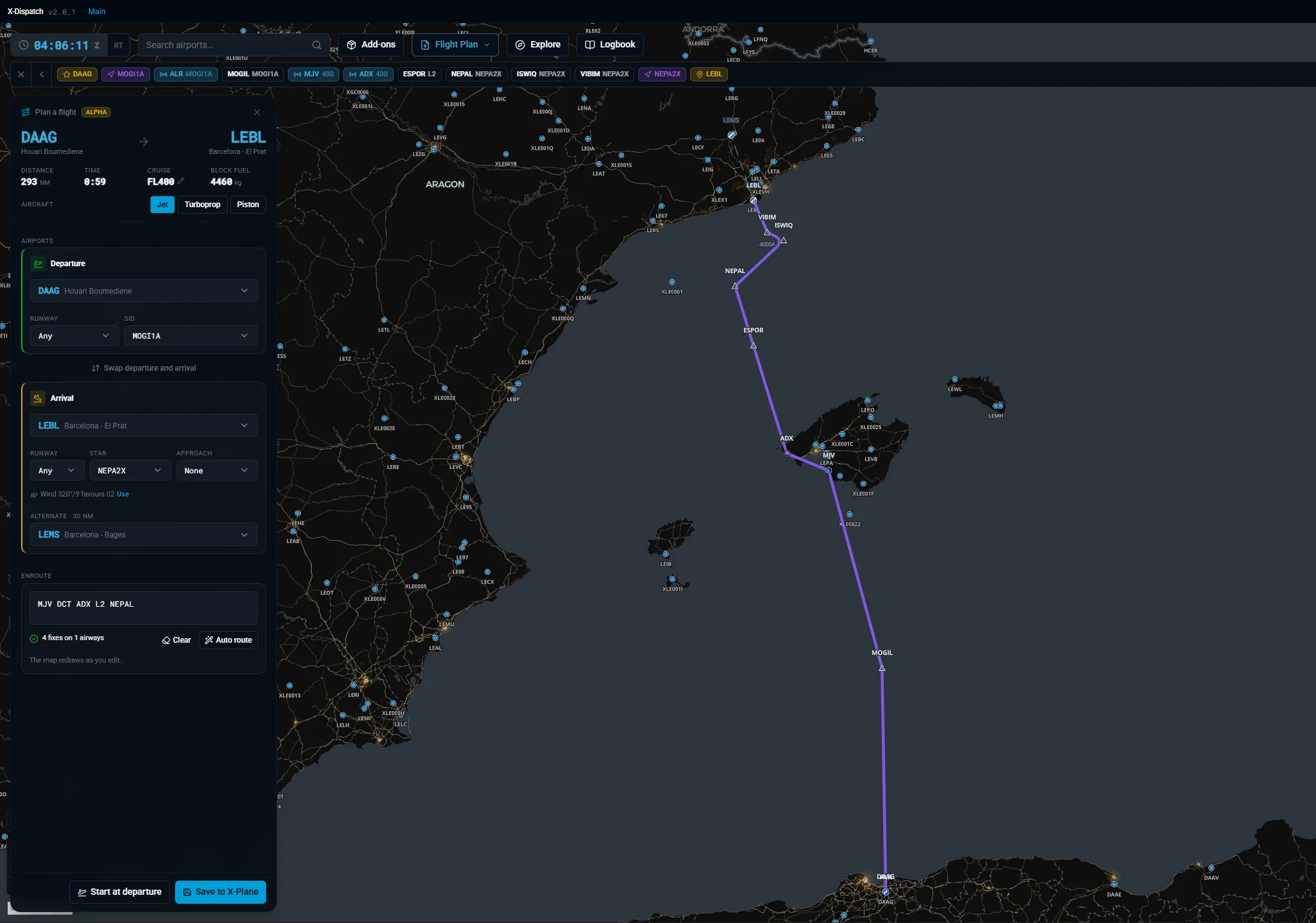
New in 2.0. Pick departure and arrival, auto-route on real airways with SIDs and STARs — even across the North Atlantic Tracks. Edit the enroute string by hand and the map redraws as you type. Save straight to X-Plane as a .fms file.
Weather

Weather you can see on the ground

New in 2.0. Rain, snow, fog, and wind blow across the airport straight from the live METAR. At night the airfield lights come on — runway, taxiway, and approach lighting, including the sequenced flashers on final.

X-Dispatch: Your aircraft, live on the map
Tracking

Your aircraft, live on the map

While X-Plane is running, a clear symbol follows your aircraft from the globe down to the taxiway, with a line from the nose showing where you will be in one minute. The Flight Strip keeps speed, altitude, heading and wind on screen, on the map or in its own window over X-Plane, locked so clicks pass through to the sim.

Taxi

Taxi with guidance in the Flight Strip

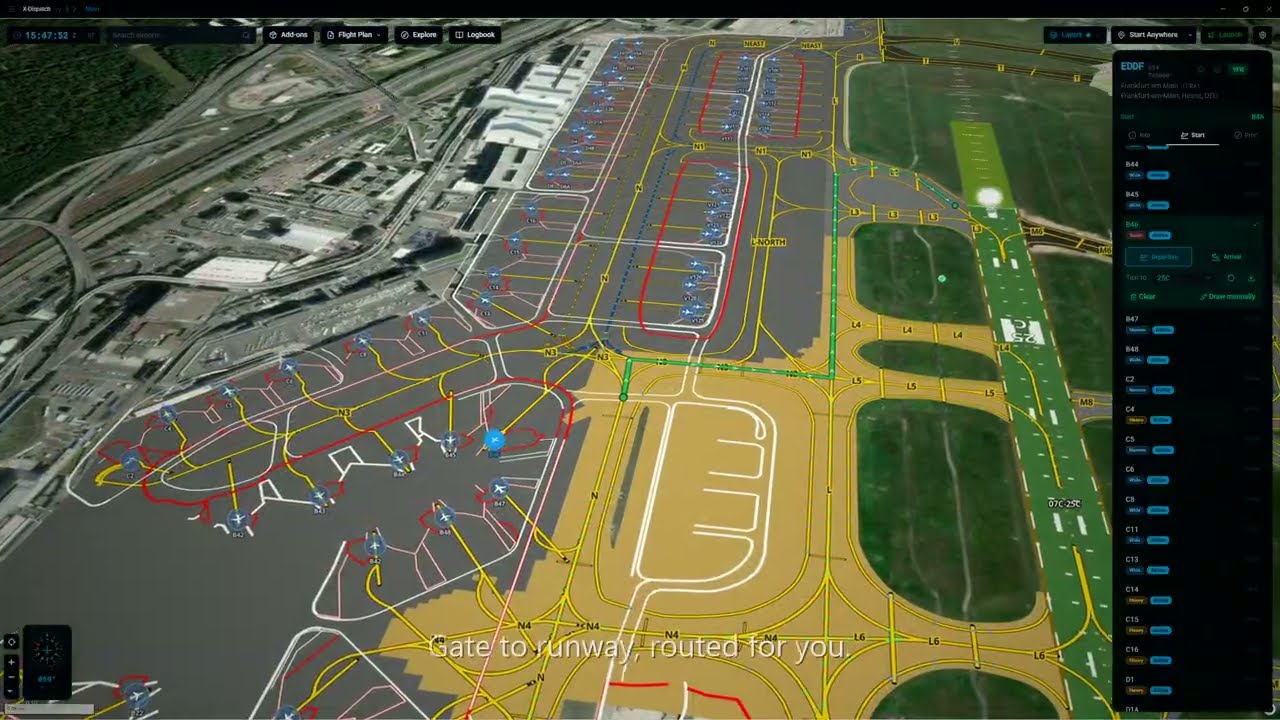
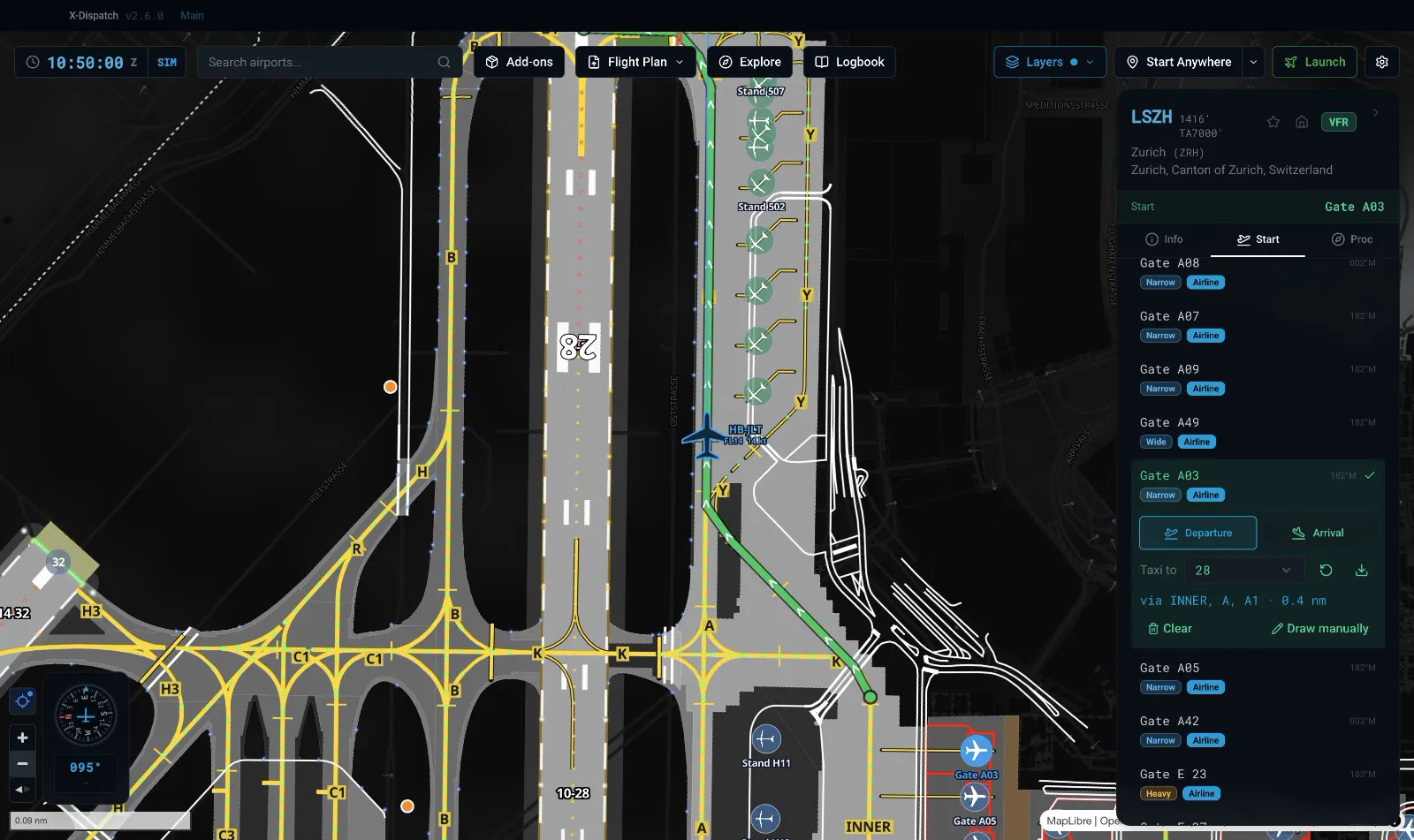
New in 2.7. Plan the route from your gate to the runway, then press the map button on the Flight Strip: a heading-up map of the airport opens under it with the route, taxiway labels and your aircraft. It tells you the next turn, how far away it is and where to hold short. Set its opacity to taste, and the lock button pins the window in place and lets clicks pass through, so it never gets between you and the cockpit.

X-Dispatch: Fly online with VATSIM and IVAO
Online

Fly online with VATSIM and IVAO

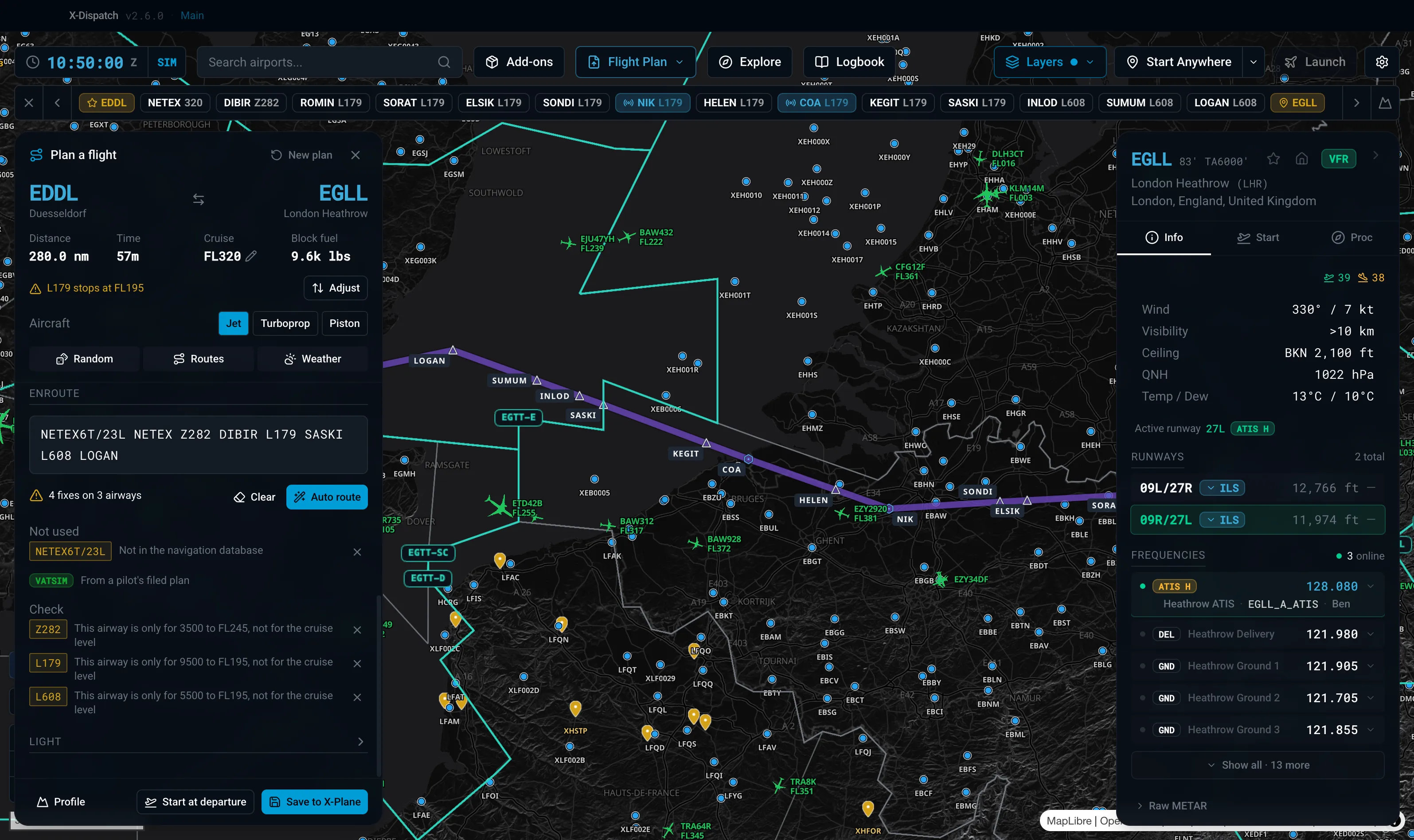
Live traffic, sectors and staffed airports on the map, with a ring on the airport dot and a letter for every online position. Click a pilot to see their route, then hand their filed plan to the planner with one button.

X-Dispatch: Search any ICAO. Jump there.
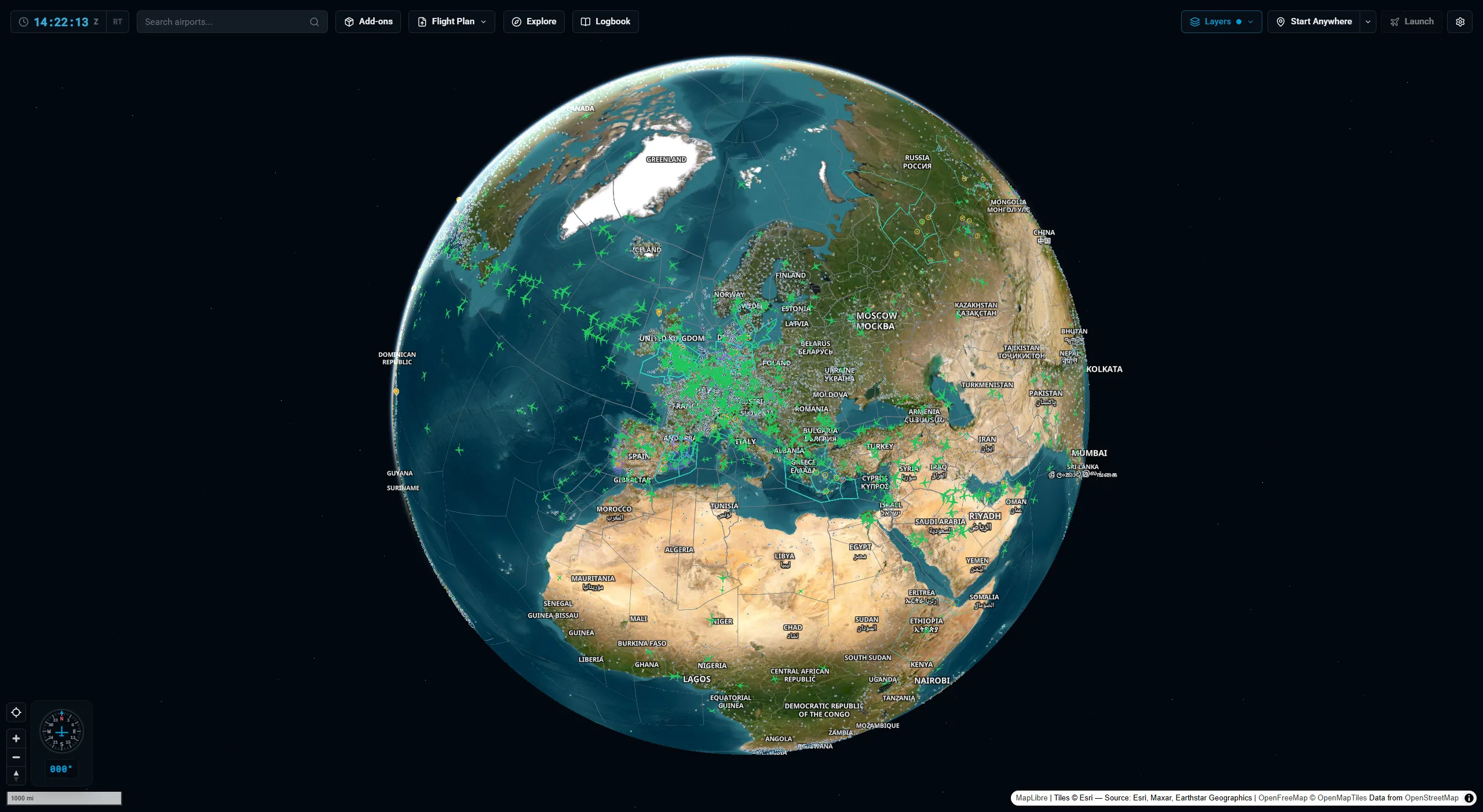
Map

Search any ICAO. Jump there.

35,000 X-Plane airports on a 3D globe, with nav aids, airspaces, and live weather underneath. Toggle VATSIM and IVAO traffic on top. Star your favorites, pick a home airport, and it gets its own marker.

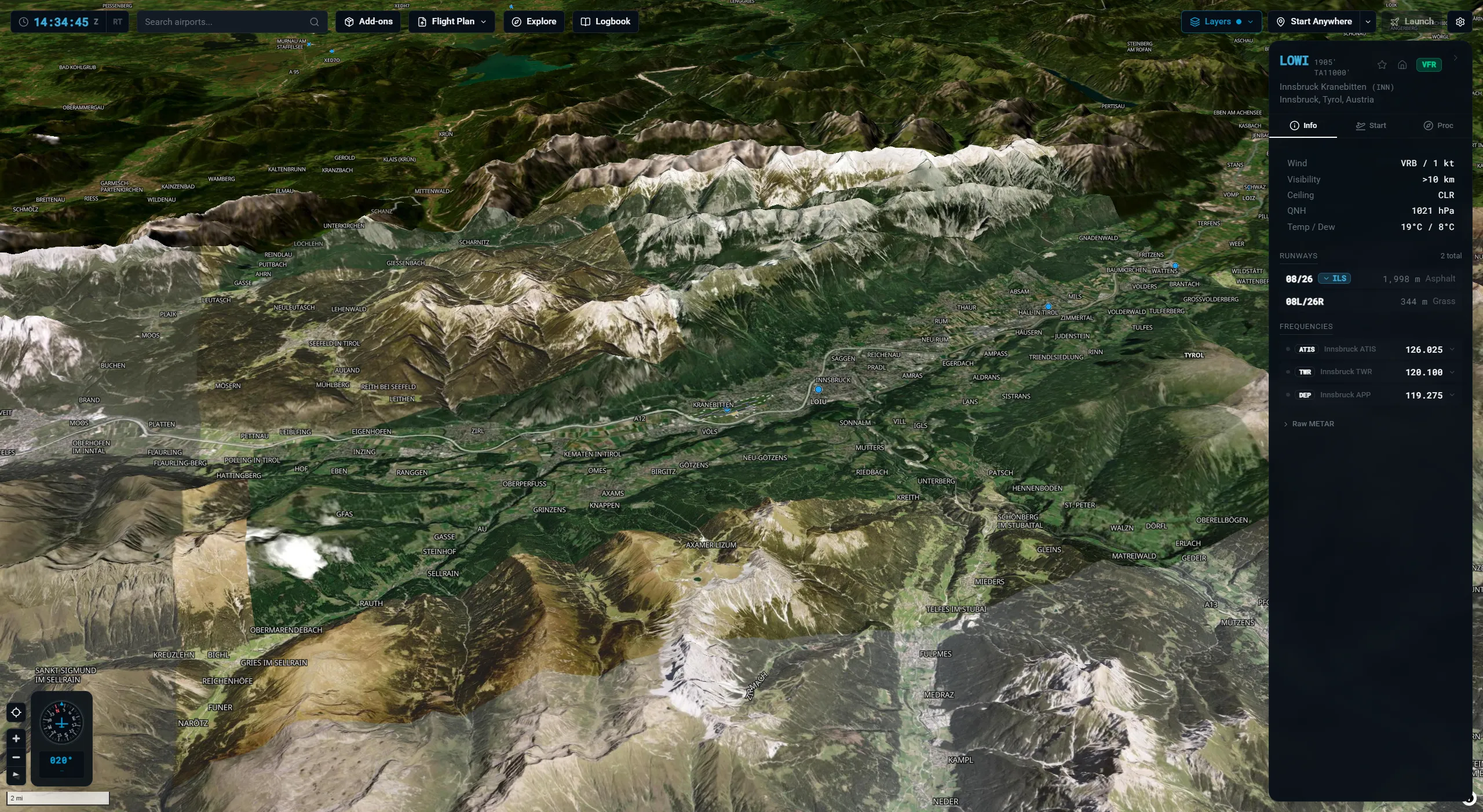
Terrain

3D terrain

Hillshade and real elevation under the map, so mountain airports like Innsbruck and Bolzano read the way they should. ILS glide slopes are drawn in 3D above the runway.

X-Dispatch: Pick the basemap that fits
Basemaps

Pick the basemap that fits

Four basemaps built in (Dark, Light, Light + 3D, Satellite), plus bring-your-own via a style URL. Airport markers get a halo so they stay readable on satellite or dark tiles.

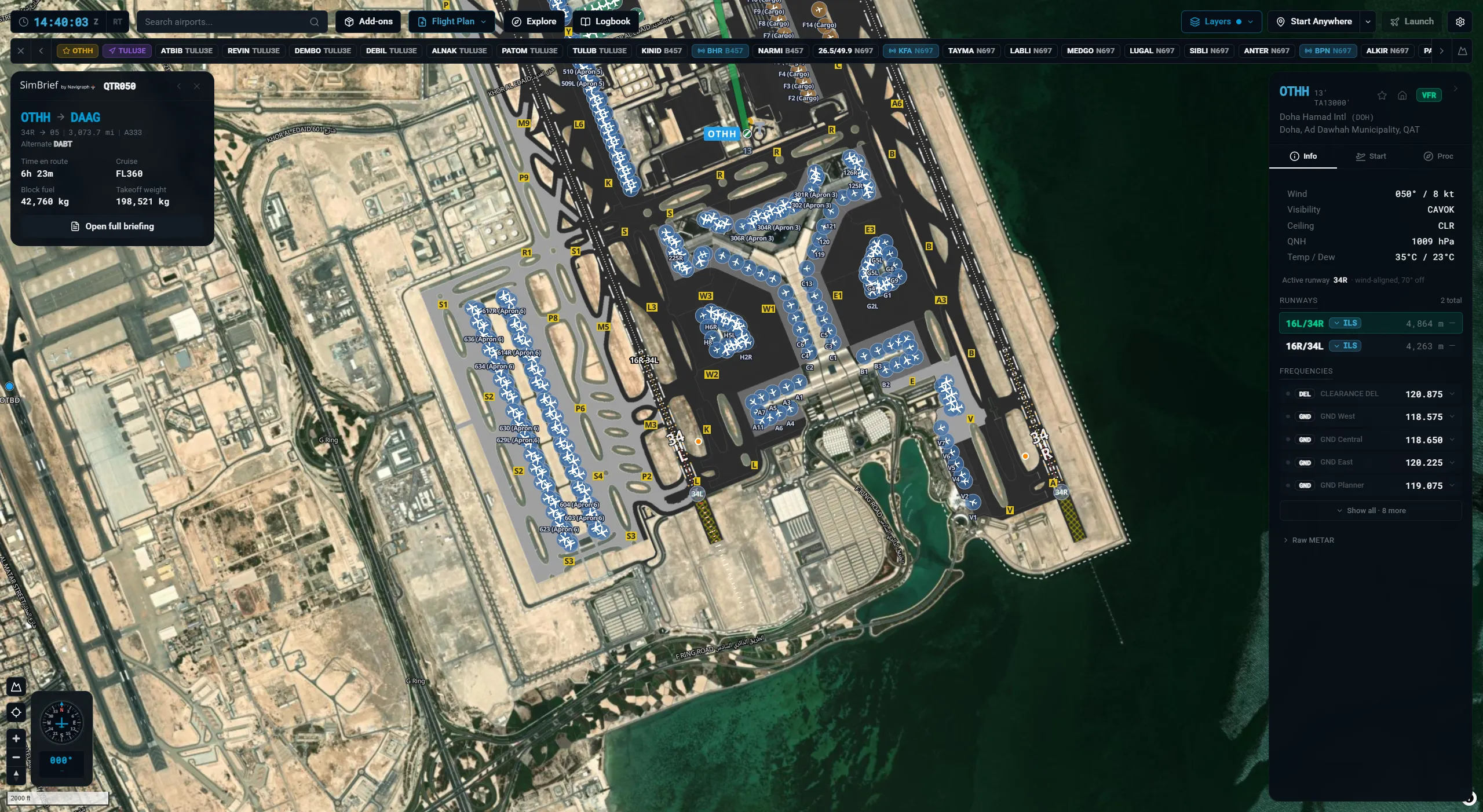
X-Dispatch: Real airport diagrams
Airport

Real airport diagrams

Layouts pulled straight from your X-Plane install. Runways, taxiways, gates, painted lines, lighting, custom scenery. Click any frequency in the info panel and it tunes COM1 or COM2 in the sim.

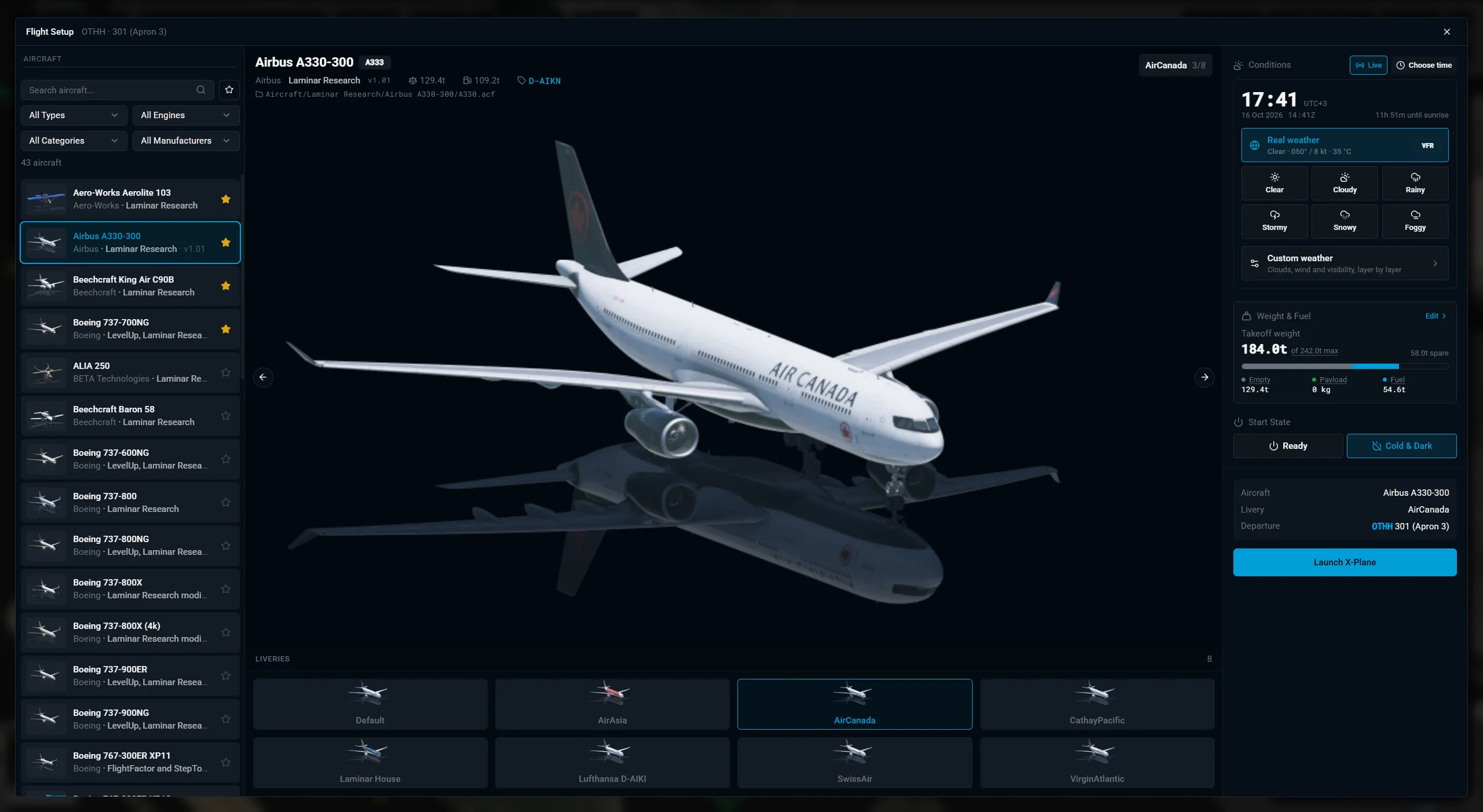
X-Dispatch: Configure the flight at the gate
Setup

Configure the flight at the gate

Aircraft, livery, fuel, payload, weather, time of day. All on sliders. Set up the whole flight before the sim opens.

X-Dispatch: SimBrief, one click in
SimBrief

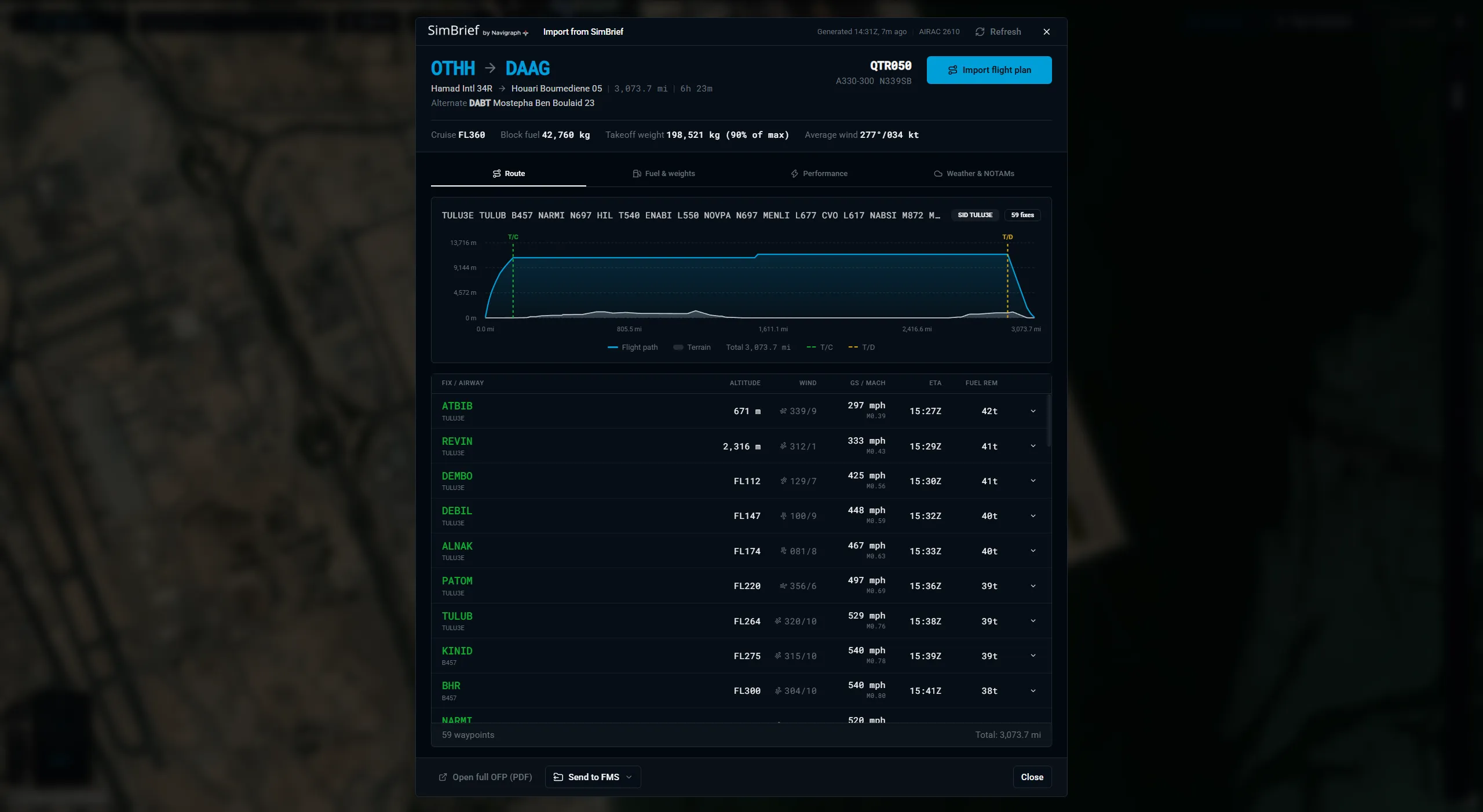
SimBrief, one click in

Fetch the latest OFP. Review the route, perf, weights, and fuel. Drop the FMS file straight into your sim folder.

X-Dispatch: Flight plans on the globe
Flight Plan

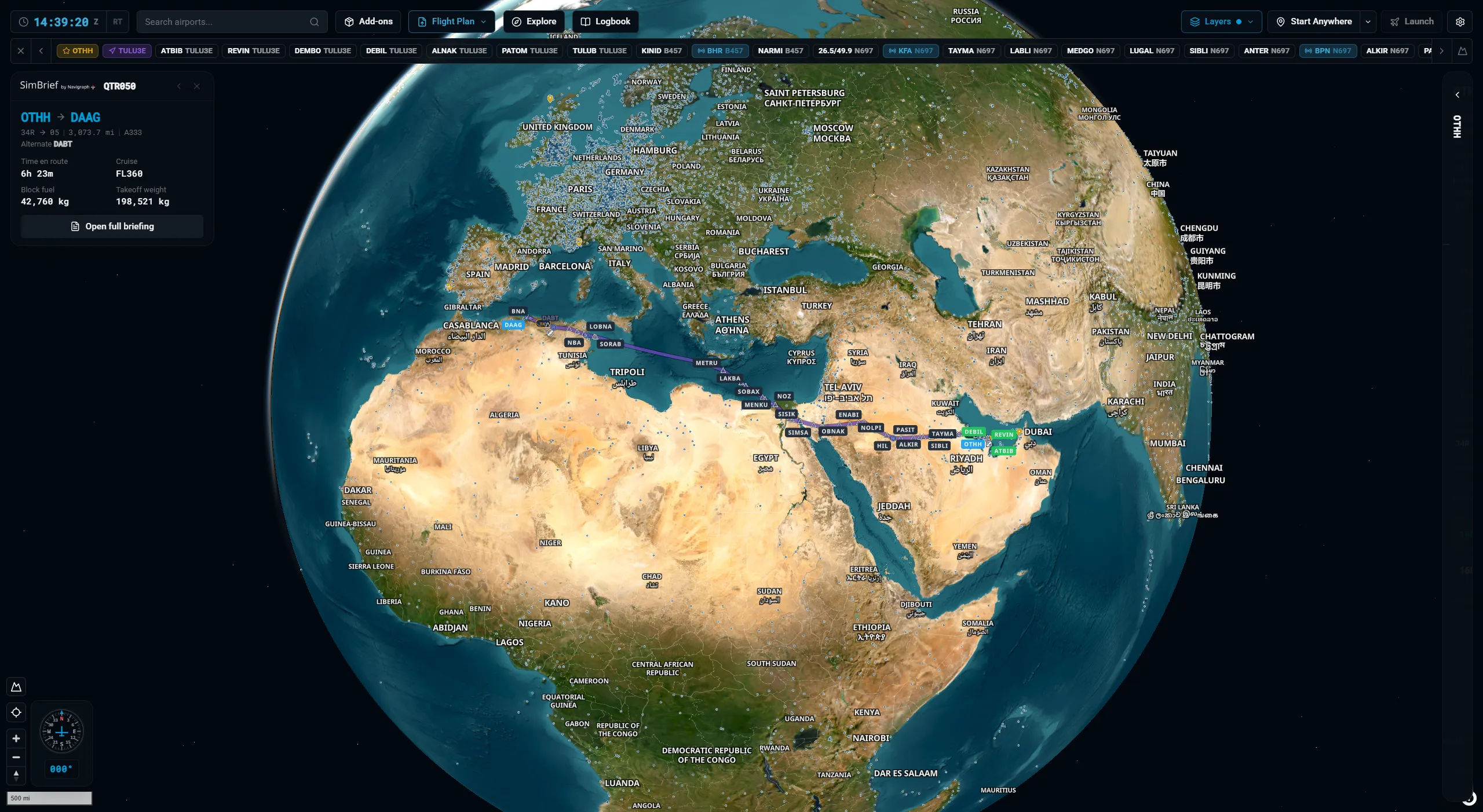
Flight plans on the globe

Load an FMS file or import a SimBrief plan and the route draws on the globe with every waypoint. Export to your aircraft's FMS folder in the format it expects - X-Plane FMX, MSFS PLN, and others.

X-Dispatch: Launch your tools alongside the sim
Companion

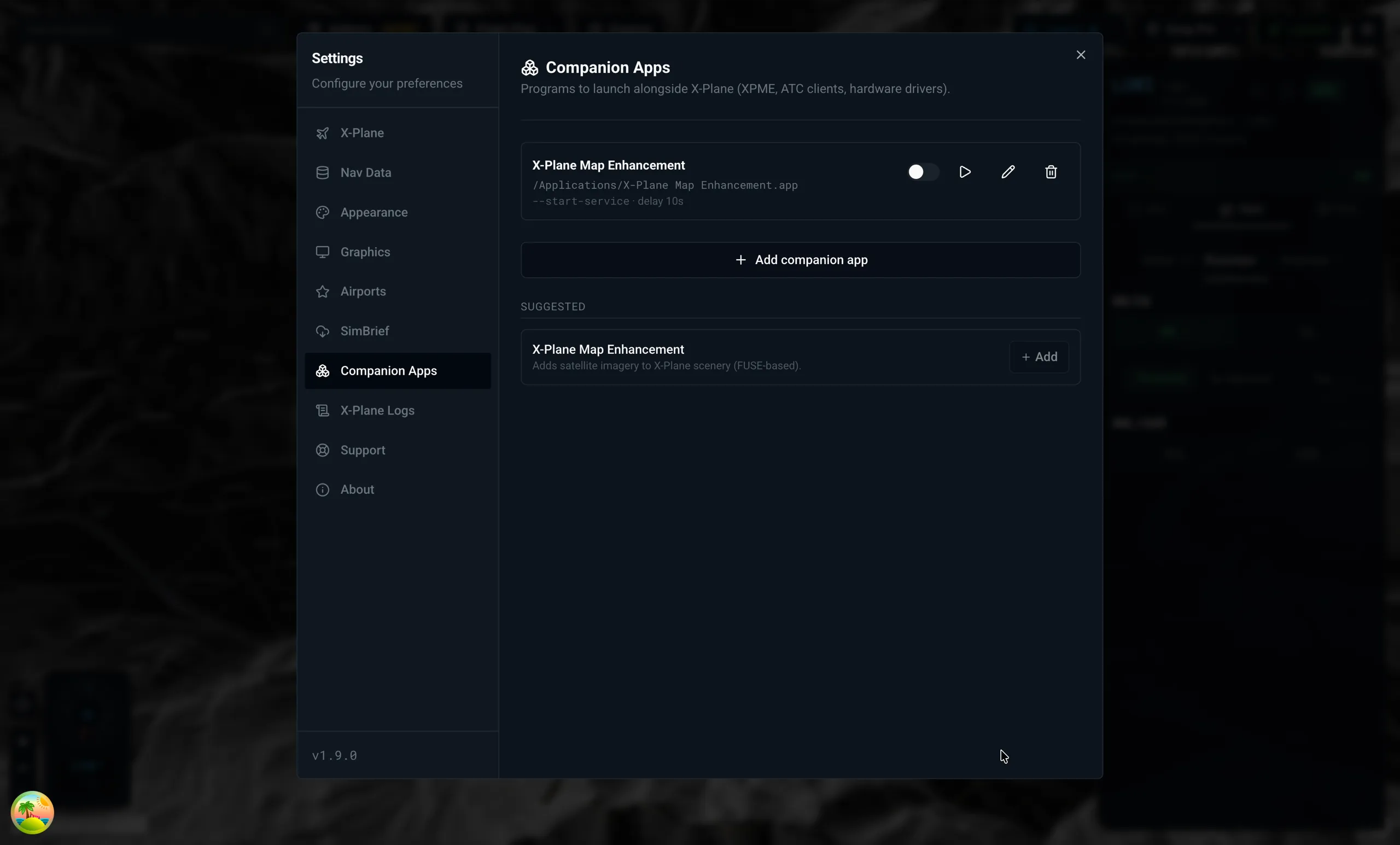
Launch your tools alongside the sim

Register companion apps (XPME, ATC clients, hardware drivers) and X-Dispatch launches them when X-Plane starts. File picker, edit dialog, admin warnings, elevation pre-flight checks included.

X-Dispatch: Add-ons in one place
Add-ons

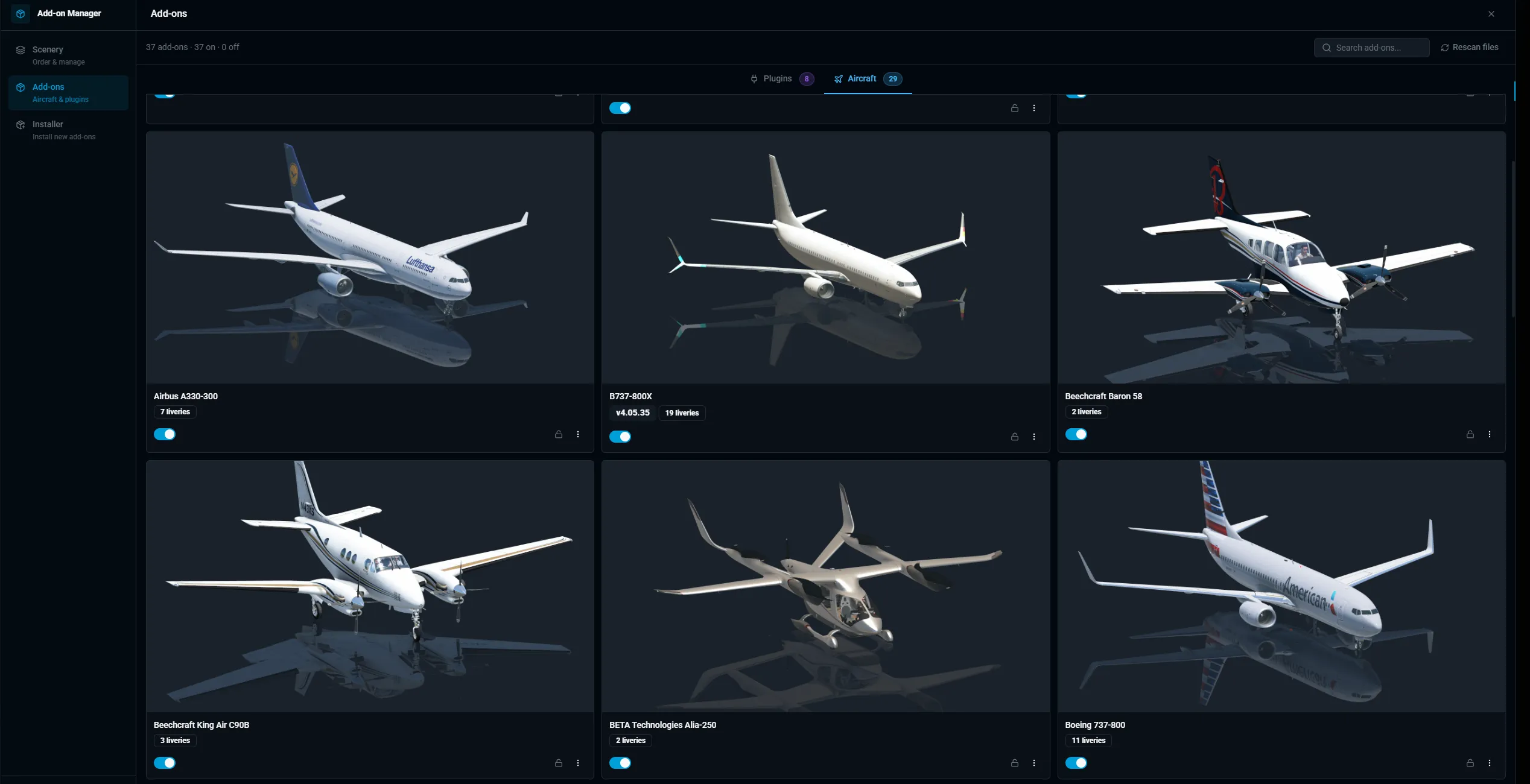
Add-ons in one place

Aircraft, plugins, liveries, Lua scripts, scenery priority, multiple X-Plane installs. All in one list. Drop a file in and the installer figures out where it goes. Windows .lnk shortcuts in Custom Scenery just work.

What X-Plane pilots say.

“I no longer start X-Plane. I now start X-Dispatch.”
Marespi/on X-Plane.org
“Hands down the best add-on for X-Plane.”
Haui/on X-Plane.org
“The best thing that has happened in the X-Plane 12 community for me.”
luckythastriker/on X-Plane.org
“The one-stop tool every simmer needs.”
DZ-Aviation/on Discord
“Best thing to happen to X-Plane since Map Enhancement.”
lantern53/on X-Plane.org
“I cannot believe what this developer has achieved.”
Durin/on X-Plane.org