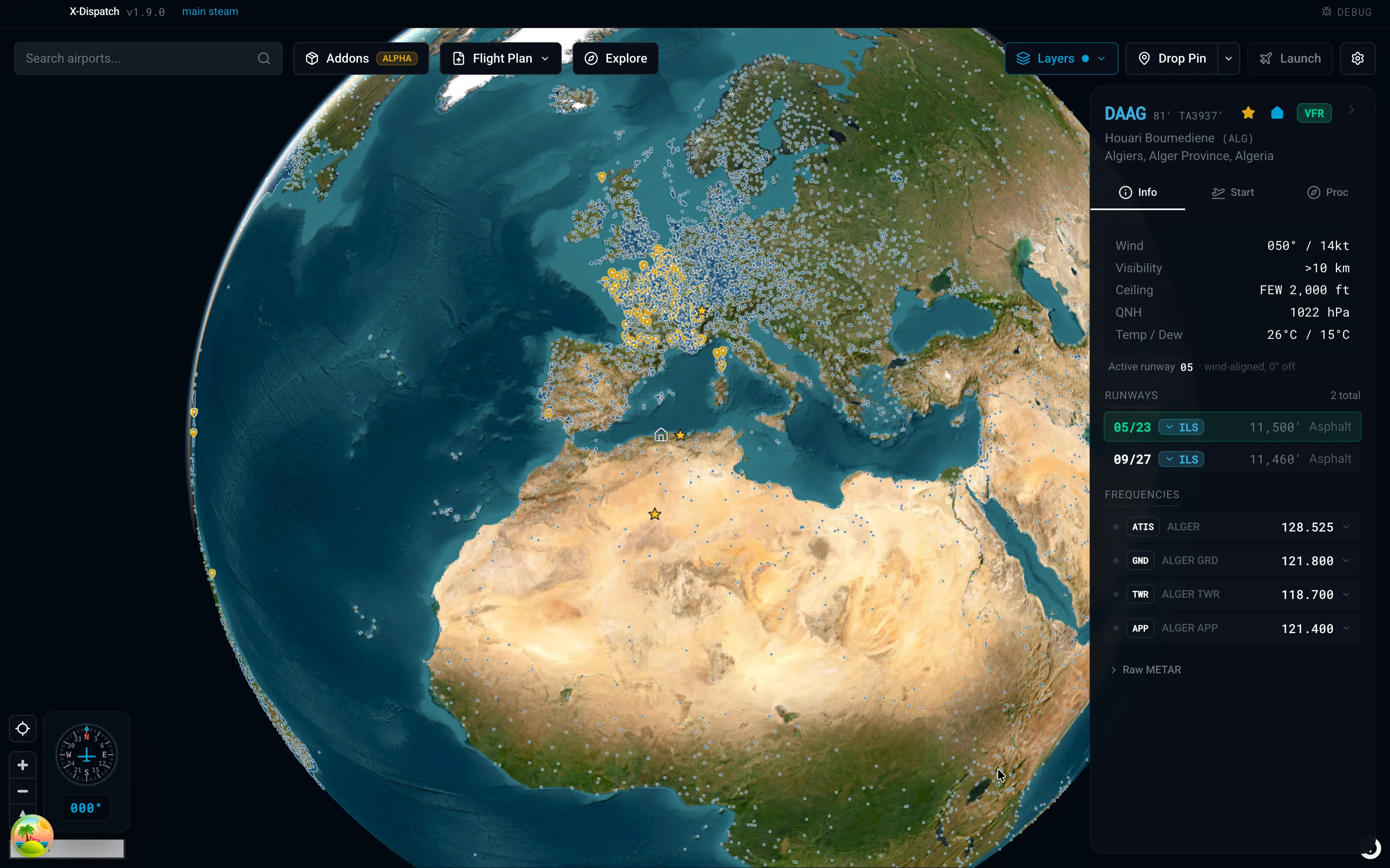
Map
Search any ICAO. Jump there.
35,000 X-Plane airports on a 3D globe, with nav aids, airspaces, and live weather underneath. Toggle VATSIM and IVAO traffic on top. Star your favorites, pick a home airport, and it gets its own marker.
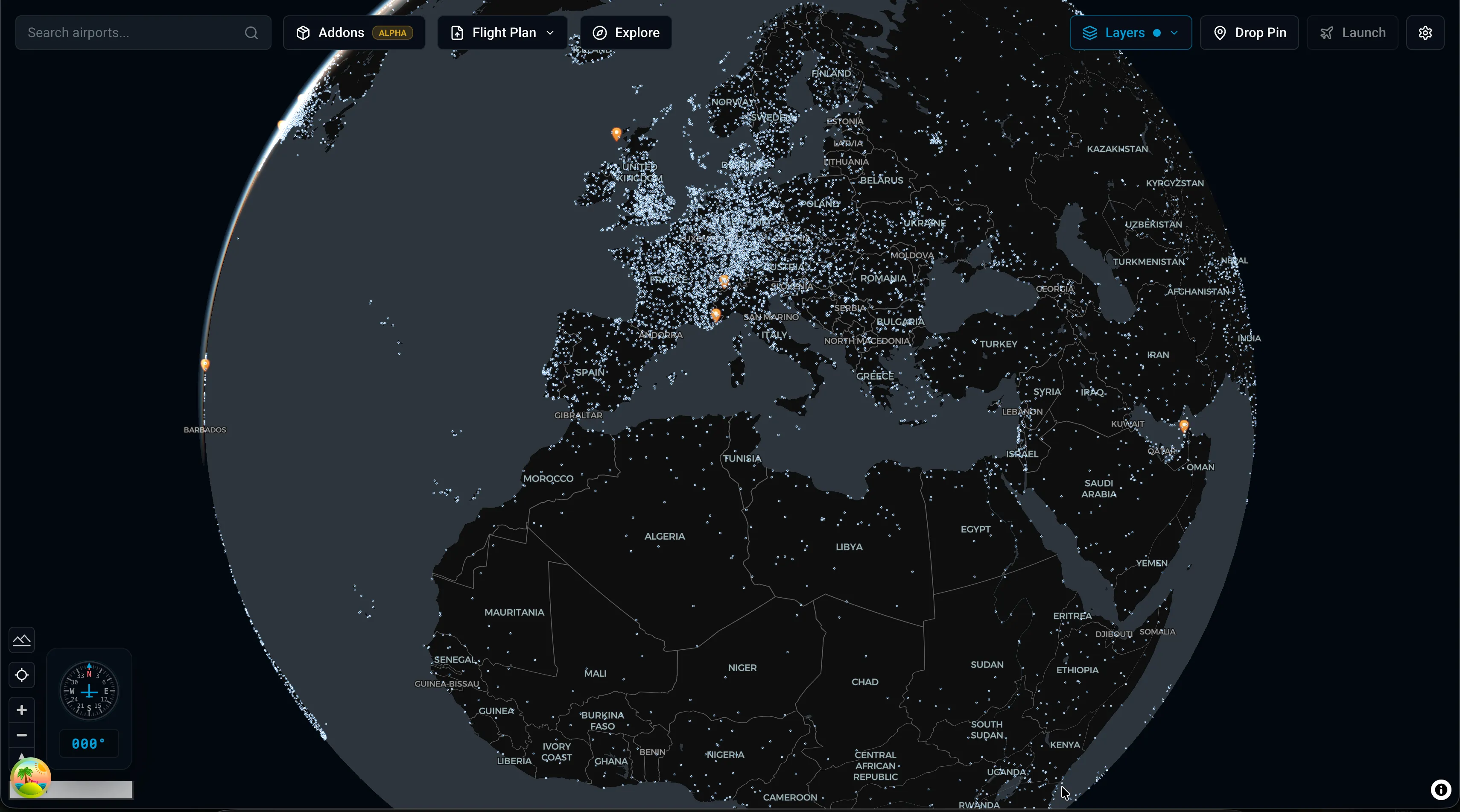
Spin the globe, click a gate, drag sliders for weather and fuel, import SimBrief, hit Launch. Your custom airports get their own marker.
Works on Windows, macOS & Linux · Requires X-Plane 12.4 or later
35,000
Airports indexed
18K+
Downloads
35
Reviews on X-Plane.org10
Languages
01 / In one window
Browse airports, set up the flight, manage your add-ons, follow live traffic. Real screens from the app, working against real X-Plane data.
35,000 X-Plane airports on a 3D globe, with nav aids, airspaces, and live weather underneath. Toggle VATSIM and IVAO traffic on top. Star your favorites, pick a home airport, and it gets its own marker.
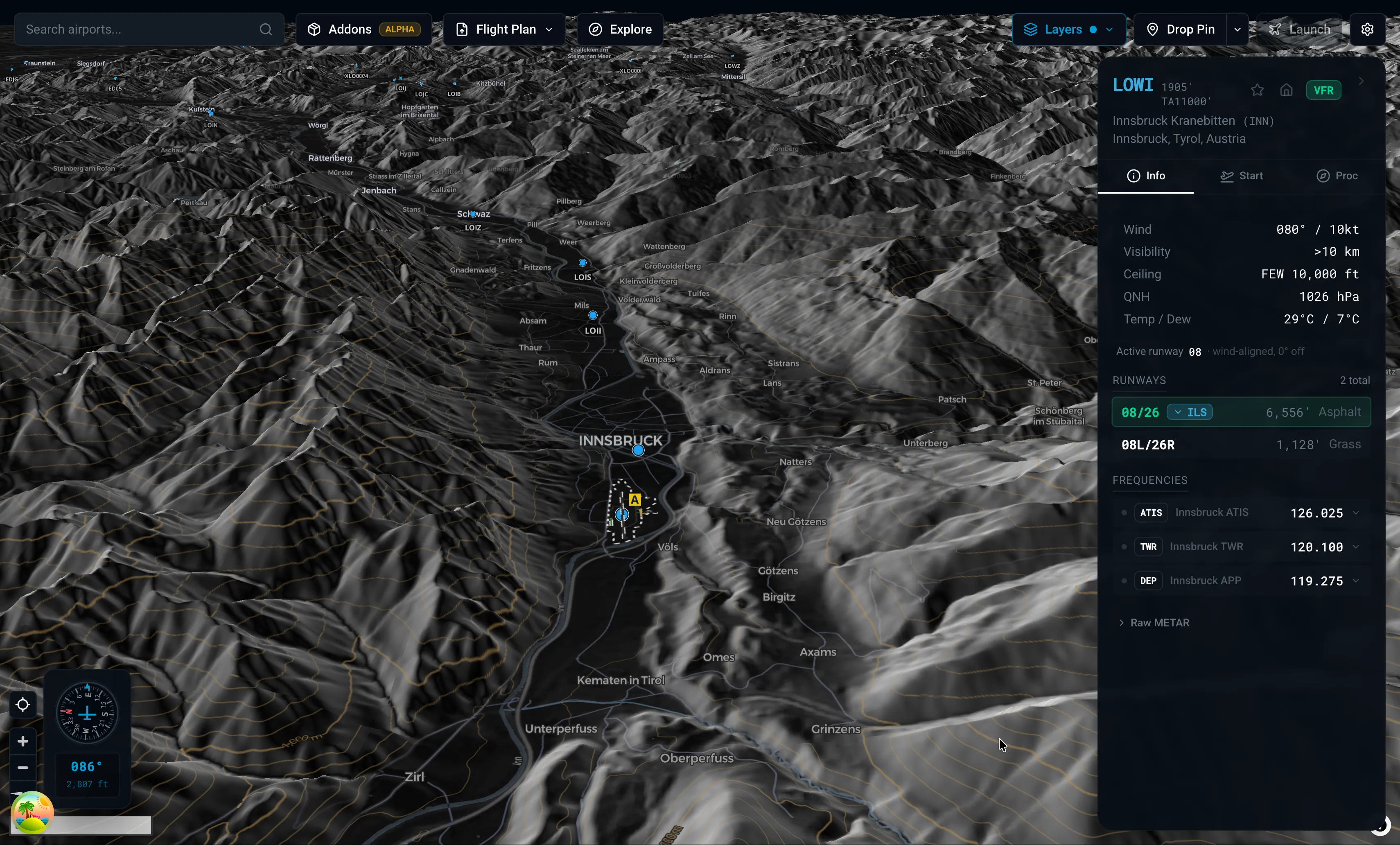
Hillshade and real elevation under the map, so mountain airports like Innsbruck and Bolzano read the way they should. ILS glide slopes are drawn in 3D above the runway.
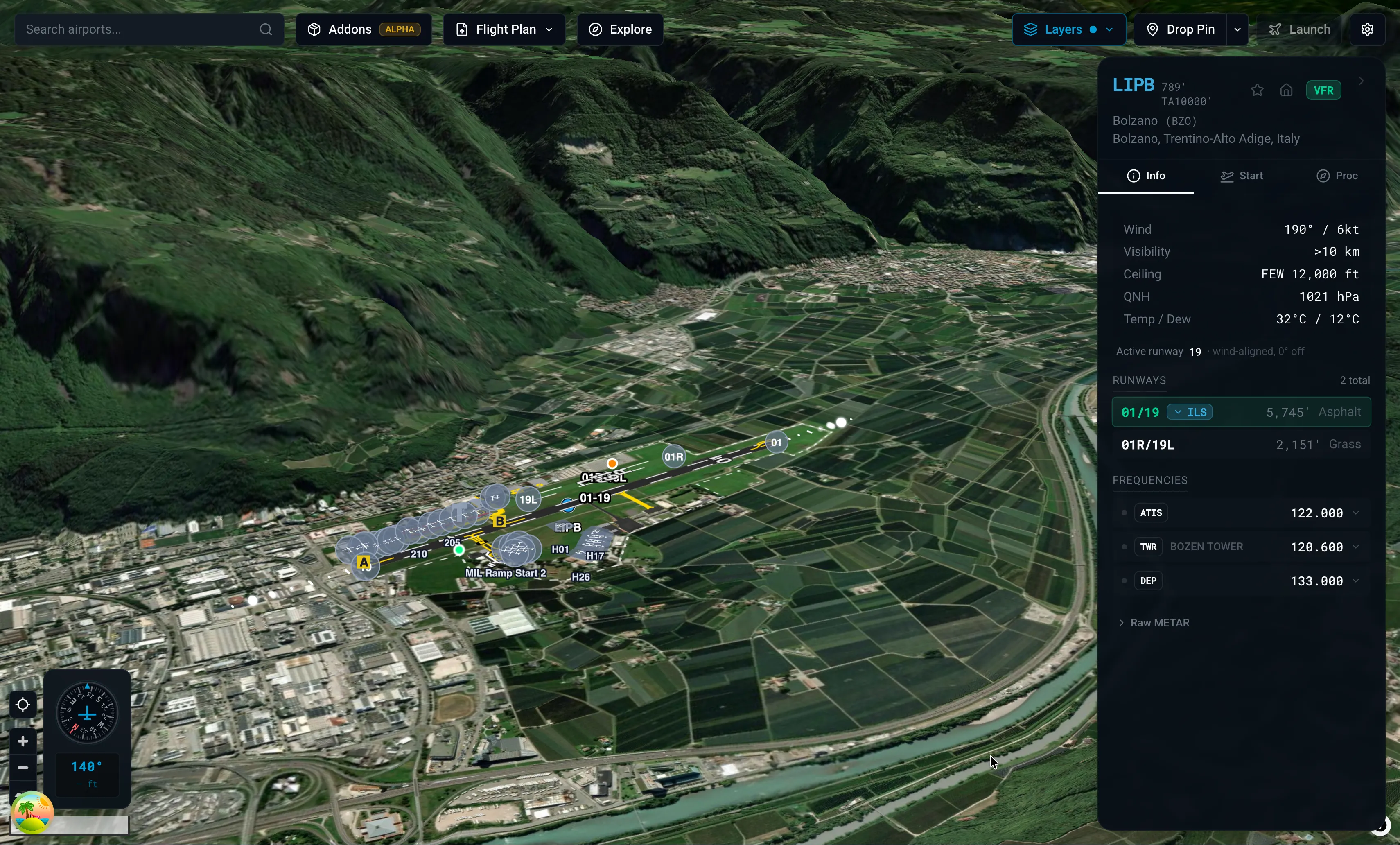
Four basemaps built in (Dark, Light, Light + 3D, Satellite), plus bring-your-own via a style URL. Airport markers get a halo so they stay readable on satellite or dark tiles.
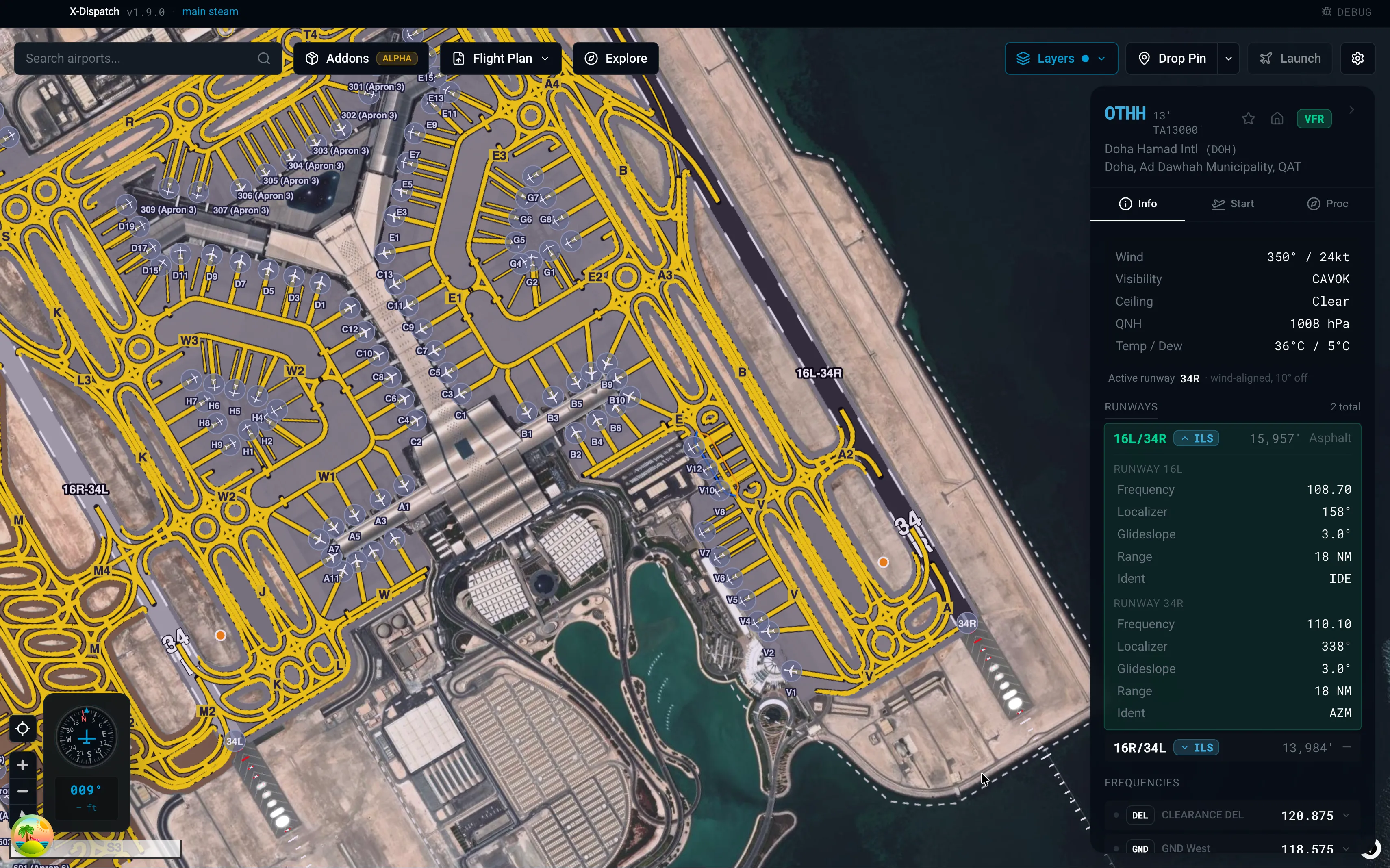
Layouts pulled straight from your X-Plane install. Runways, taxiways, gates, painted lines, lighting, custom scenery. Click any frequency in the info panel and it tunes COM1 or COM2 in the sim.
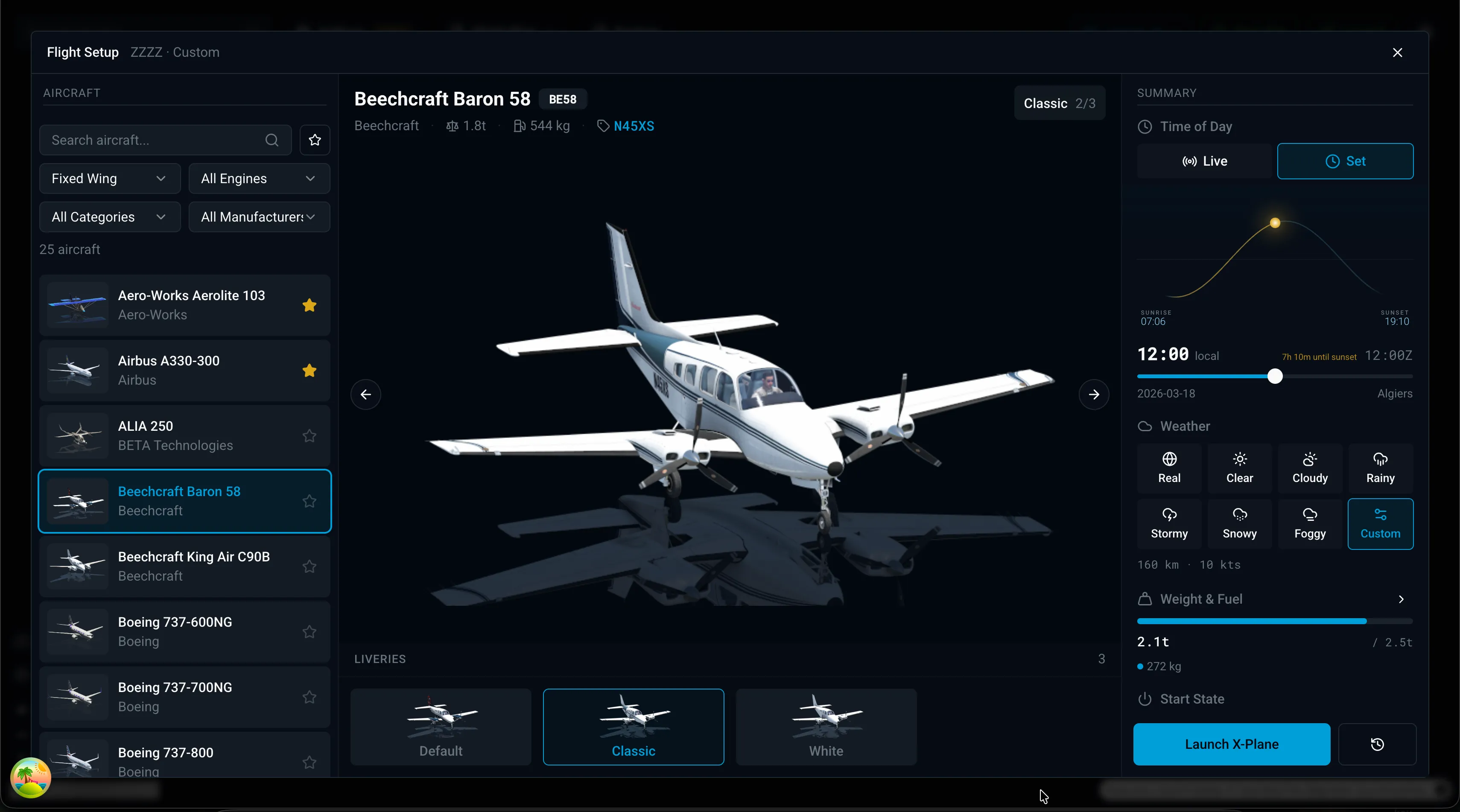
Aircraft, livery, fuel, payload, weather, time of day. All on sliders. Set up the whole flight before the sim opens.
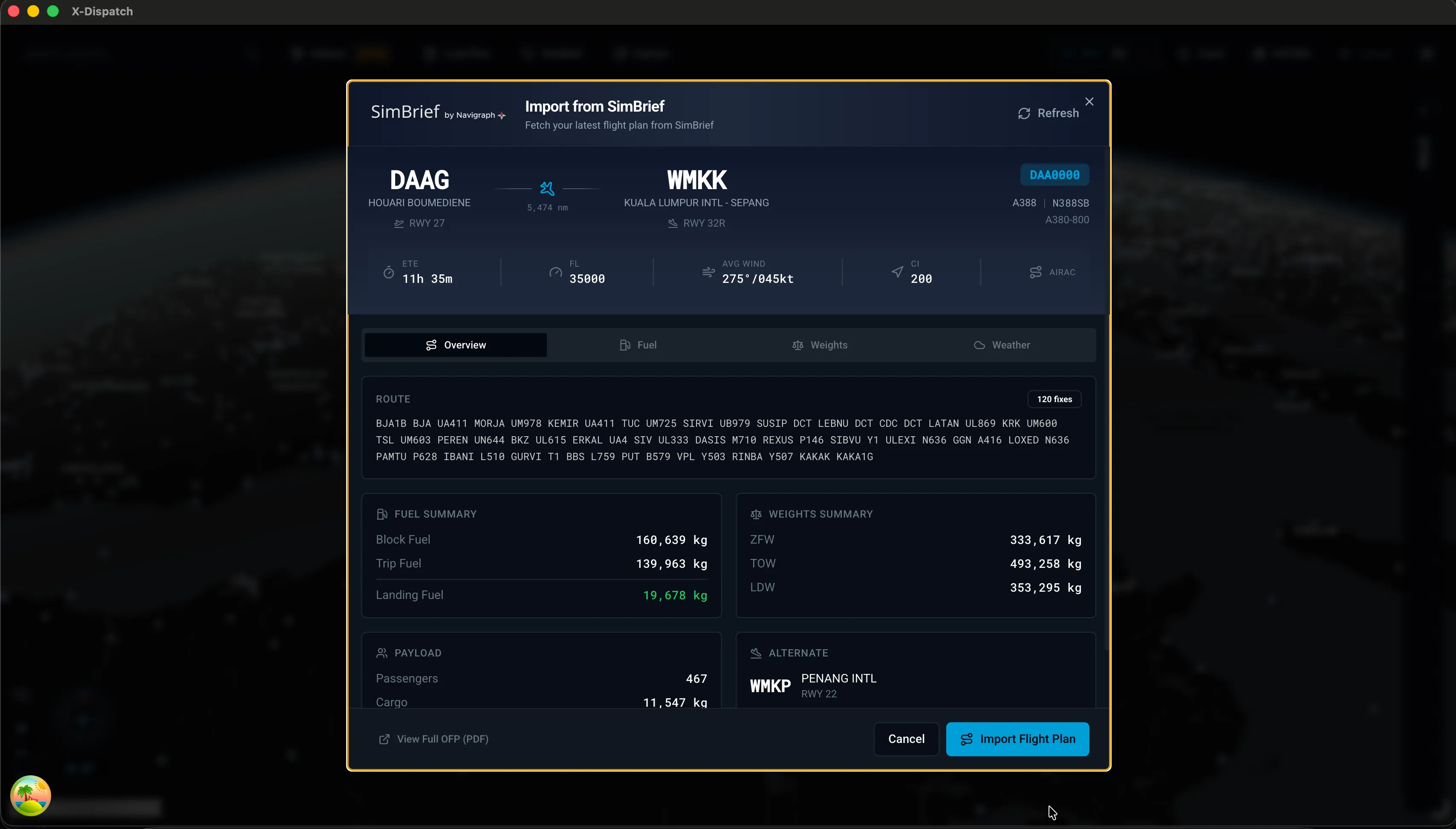
Fetch the latest OFP. Review the route, perf, weights, and fuel. Drop the FMS file straight into your sim folder.
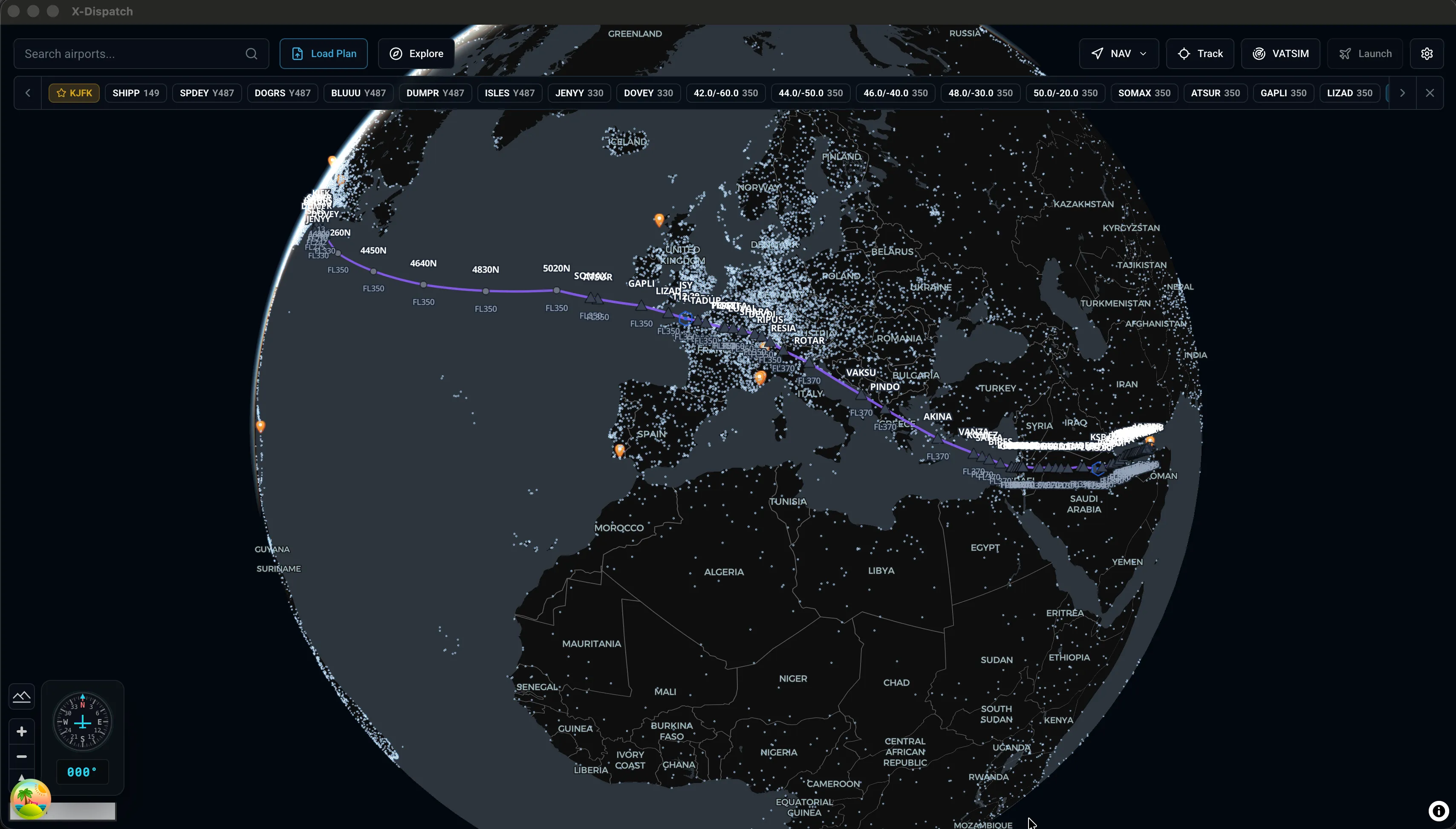
Load an FMS file or import a SimBrief plan and the route draws on the globe with every waypoint. Export to your aircraft's FMS folder in the format it expects - X-Plane FMX, MSFS PLN, and others.
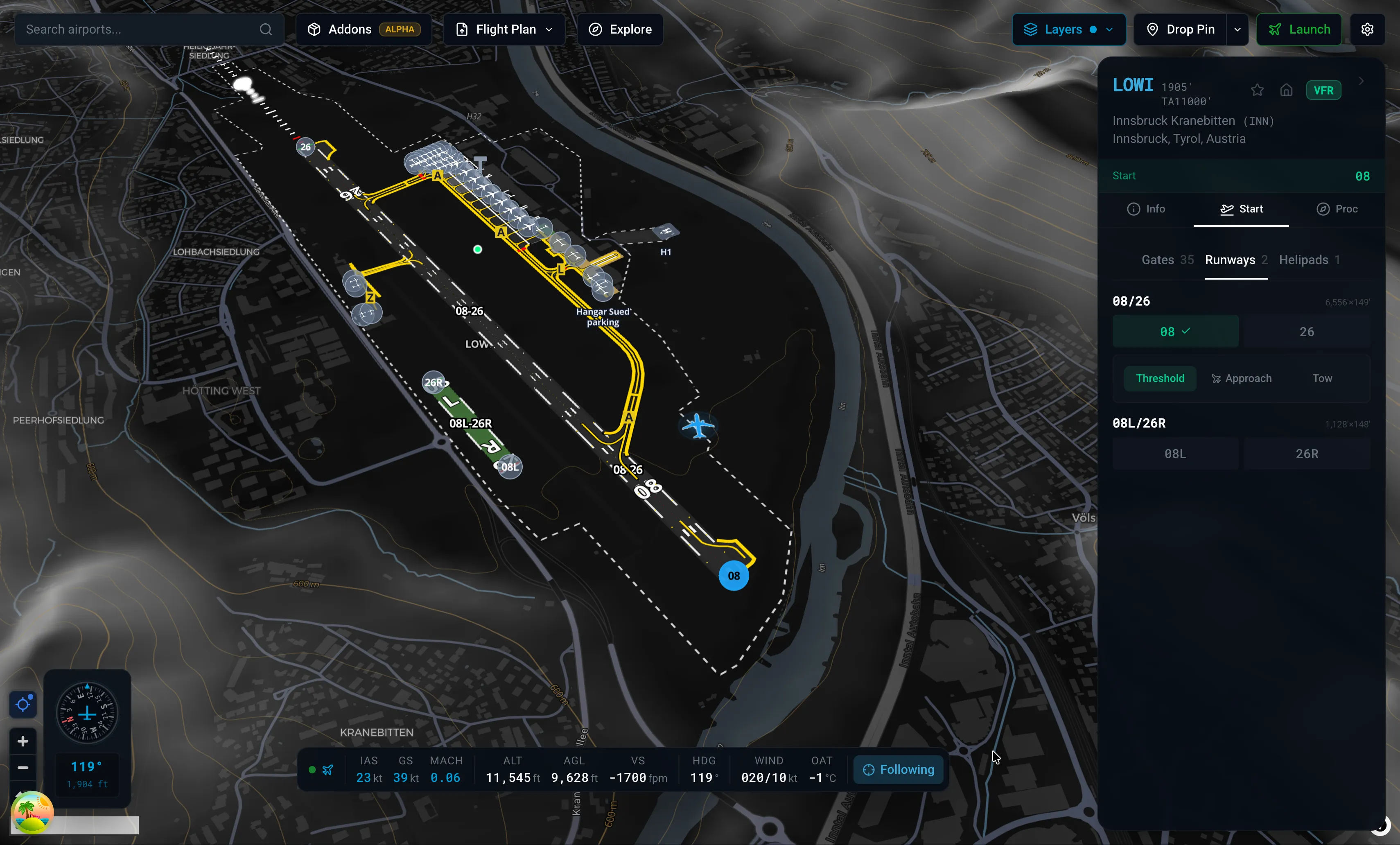
While X-Plane is running, your aircraft shows up on the map with heading, speed, and altitude in the strip at the bottom. Follow mode keeps it centered as you taxi and fly.
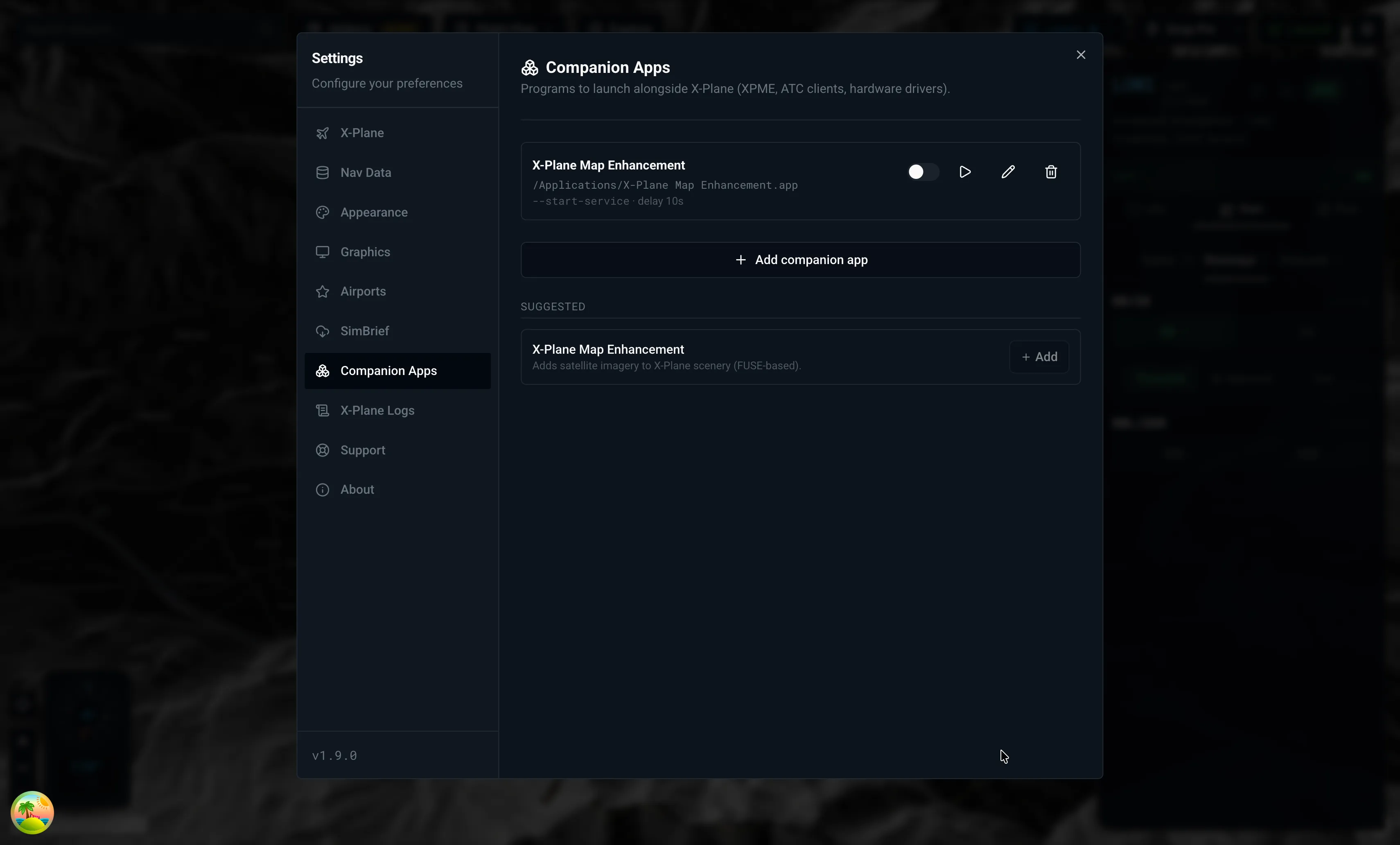
Register companion apps (XPME, ATC clients, hardware drivers) and X-Dispatch launches them when X-Plane starts. File picker, edit dialog, admin warnings, elevation pre-flight checks included.
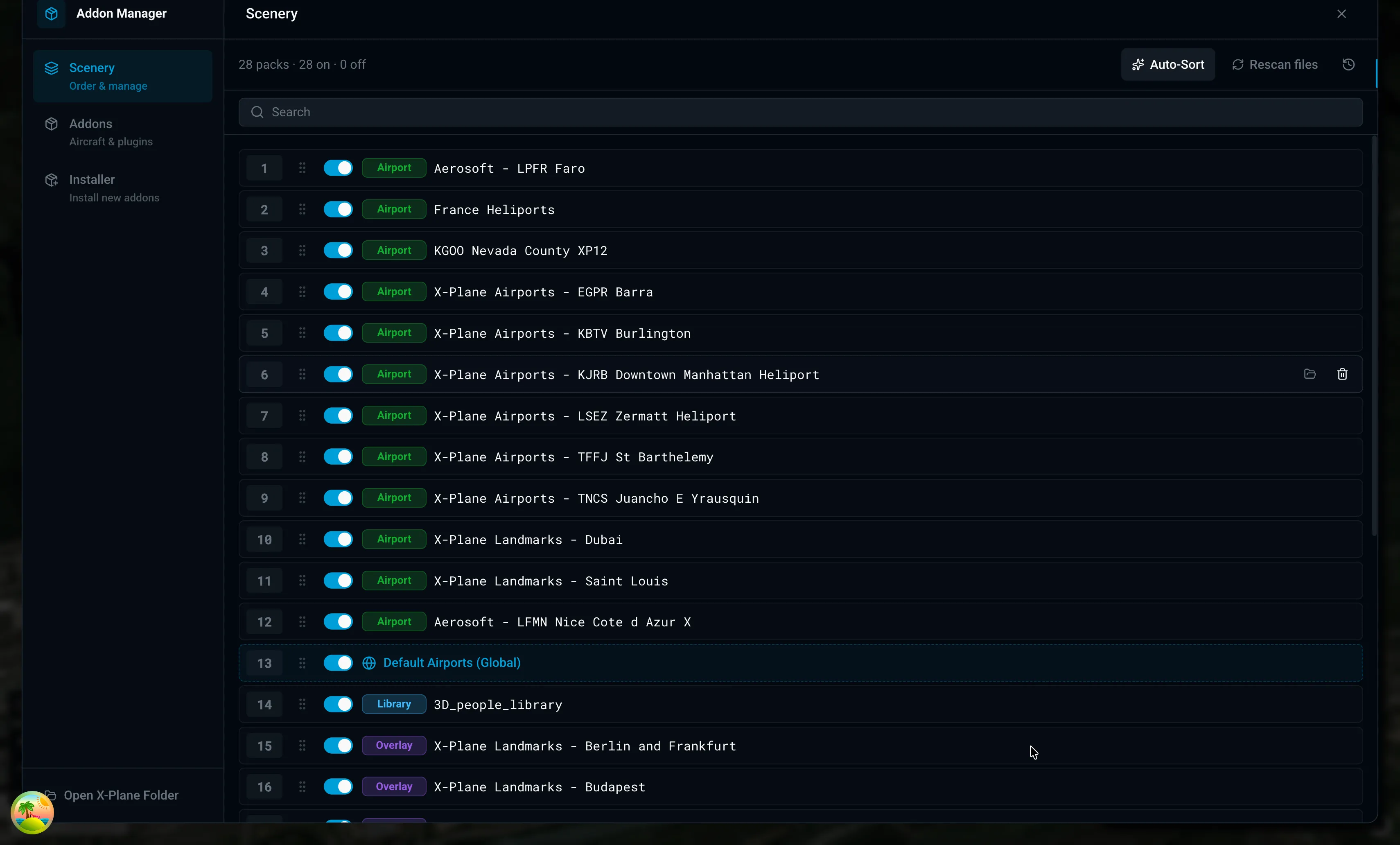
Aircraft, plugins, liveries, Lua scripts, scenery priority, multiple X-Plane installs. All in one list. Drop a file in and the installer figures out where it goes. Windows .lnk shortcuts in Custom Scenery just work.
“I no longer start X-Plane. I now start X-Dispatch.”
“Hands down the best add-on for X-Plane.”
“The best thing that has happened in the X-Plane 12 community for me.”
“The one-stop tool every simmer needs.”
“Best thing to happen to X-Plane since Map Enhancement.”
“I cannot believe what this developer has achieved.”
04 / Press & creators
Picked up by outlets and creators in the X-Plane world. Nothing loads from a third party until you click through.
Article · FSElite “A freeware utility offering a world map explorer, flight launcher, and add-on management tools designed to simplify flight preparation.”
 Video · English
  Video · French